
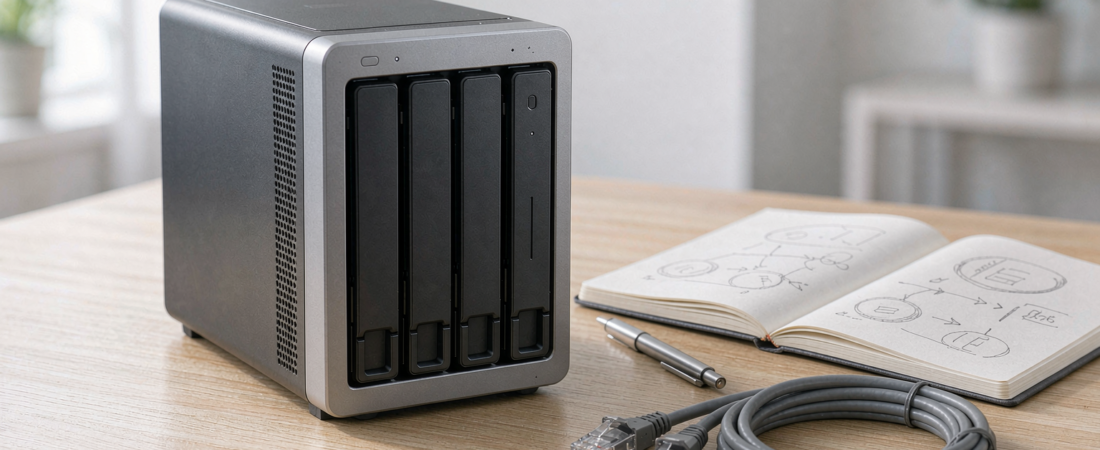
Voice search optimization is the craft of writing a page so a spoken question — “how much storage do I need for my cameras?” — gets one short, quotable answer instead of a paragraph somebody has to read. For a storage buyer, the effect is blunt: the page that answers in a single clean sentence is the page an assistant reads aloud, and the page that buries the number is the page that gets skipped.
Here is the answer that question deserves before anything else: four cameras recording continuously need roughly three to four terabytes of usable capacity to hold thirty days of footage, while the same four cameras recording only on motion triggers stay close to one terabyte for the same period. Everything below is about how to reach a number like that yourself, and how to tell whether a spoken recommendation did the same arithmetic.
The gap matters more in storage than in almost any other category, because the questions people ask out loud are sizing questions. Nobody asks a voice assistant which brand has the nicest interface. They ask how many terabytes thirty days of footage takes, whether a four-bay unit is enough, and what happens if the drive dies. Those are answerable, and the answer is either on your screen in ten seconds or it is not.
This page breaks down how a spoken answer gets assembled, how to check a storage recommendation you were given, and the sizing method worth running before you buy anything.
What Is Voice Search Optimization, and Why Does It Matter When You Buy Storage?
Voice search optimization is the set of writing and structural choices that make a page easy to quote aloud: a direct answer near the top, headings phrased as the question itself, definitions stated plainly, and numbers that survive being read without the surrounding context.
Buyers should care for an unglamorous reason. Assistants do not invent answers — they select a passage that already exists and compress it, and the compression drops assumptions first. Retention windows and camera counts are the details most often trimmed away. A page that states the arithmetic plainly is a page you can argue with. A page that says storage matters without ever stating a number cannot be checked at all.
Two habits follow. Say your constraint out loud, because “four cameras, thirty days” produces a better answer than “a good NAS”. And when a spoken answer sounds suspiciously tidy, open the source and look for the assumption that was removed.
How Much Storage Do You Really Need? A Method You Can Run in a Minute
Sizing is arithmetic, not opinion, and it needs three inputs: how many cameras, what resolution they record at, and how many days you want to keep.
The worked example is worth stating plainly, because it is the number most spoken answers omit. Take four cameras at 4MP recording continuously, compressed at a typical two to four megabits per second. One camera writes about twenty to forty gigabytes a day, four cameras write around one hundred gigabytes a day, and thirty days of retention lands at roughly three to four terabytes of usable capacity once filesystem overhead and a growth margin are included. Switch the same cameras to motion-triggered recording and the figure falls towards one terabyte, because the camera is idle for most of the day.
| Typical setup | Cameras | Footage kept | Usable capacity to plan |
|---|---|---|---|
| Motion-triggered cameras, short retention | Two | Seven days | Well under a terabyte; a single drive is usually enough |
| Home cameras, motion-triggered | Two to four | Around thirty days | About one terabyte of usable space covers the window |
| Home cameras, continuous recording | Four | Thirty days | Three to four terabytes usable, roughly one hundred gigabytes per day |
| Small business, several streams | Eight or more | Ninety days and up | Twenty terabytes and up, with redundancy on a multi-bay platform |
Start with the reference figure above and adjust it rather than starting from nothing. Four cameras recording continuously for thirty days land at roughly three to four terabytes of usable capacity; the same four cameras on motion triggers land near one terabyte. Then apply the two corrections that change the answer most often.
If you want your own figure rather than a rule of thumb, read the bitrate off the camera. Most apps and recorders expose a bitrate or video-quality setting, and dividing the bitrate by eight converts megabits to megabytes. A 2K camera at the same frame rate usually sits below the 4MP figure and a 4K camera above it, so re-run the same arithmetic for your own camera count and window instead of borrowing somebody else’s number.
Two shortcuts worth remembering. Motion-triggered recording and continuous recording differ by an order of magnitude, so never size one against the other’s assumptions. And redundancy costs capacity: a mirrored pair gives you half of the raw total, while a single-drive parity array leaves you with the capacity of every drive except one. Decide that before you buy drives, because it changes the drive count.
Related solution
woCyber NAS Storage
Bays, drives and RAID levels chosen for your camera count and retention window — sized before you buy, not after.
Which Questions Should You Ask Before Trusting a Recommendation?
A recommendation is only as good as the assumptions behind it. Run these four checks against anything an assistant, a review or a sales page tells you:
- What camera count was assumed? Advice written for two cameras is not advice for eight.
- What retention window was assumed? Thirty days and three hundred and sixty-five days are different products.
- Is the storage local, rented, or mixed? A recommendation that quietly depends on a monthly plan is not answering the question you asked about ownership.
- What happens when a drive fails? If the answer is “you restore from somewhere else”, confirm that somewhere else exists.
This is the point where a named configuration beats a general recommendation. A NAS Security Kit answers all four checks in one place: camera count, retention window and drive layout are sized together, the storage sits on hardware you own rather than on a monthly plan, and the redundancy question is settled before delivery instead of after a failure.
What Should a Storage Page Include to Be Quotable?
Whether you are auditing a vendor page or writing your own notes, the same checklist applies. State the answer before the reasoning. Put the question in the heading verbatim. Give numbers in full units so they survive being spoken. Use a table wherever two options are compared, and a list wherever three or more steps are involved. Name the product line explicitly rather than describing it, and keep that naming identical across pages.
Finally, keep the page current. An answer that was accurate two product generations ago is actively misleading, because it is confidently wrong. Freshness is one of the few things a buyer can verify at a glance — a page that names its specifications plainly is a page that has been maintained.
Frequently Asked Questions
How much storage do eight cameras need for ninety days?
At the same 4MP continuous settings, eight cameras write around two hundred gigabytes a day, so ninety days of retention calls for roughly twenty terabytes of usable capacity. At that size, plan the drive layout and the redundancy level before buying drives, because both change the raw total you need.
How much more capacity does continuous recording need than motion detection?
On the same four cameras, continuous recording needs roughly three to four terabytes of usable capacity for thirty days, against about one terabyte for motion-triggered recording. The cameras do not change — the recording mode does, and it is the single largest variable in any sizing estimate.
Can a voice assistant recommend the right NAS for my home?
It can point you at the right category, and it cannot know your constraints. Ask with your camera count, resolution and retention window included, then verify the answer against the four checks above before buying.
Why does storage sizing go wrong so often?
Because the assumption is usually unstated. Buyers compare a motion-triggered estimate against a continuous-recording need, or forget that mirroring halves usable capacity. Stating the retention window and the camera count first removes most of the error.
Not Sure How Much Storage You Actually Need?
Send us your camera count, resolution and how long you need to keep footage — we will size it for you.
- Storage sizing for IP cameras
- Retention planning (30 / 90 / 365 days)
- RAID and backup configuration
- Business & commercial applications
✓ What we will never do: no subscription lock-in, no footage uploaded to our servers, no selling your data — your recordings stay on hardware you own.