
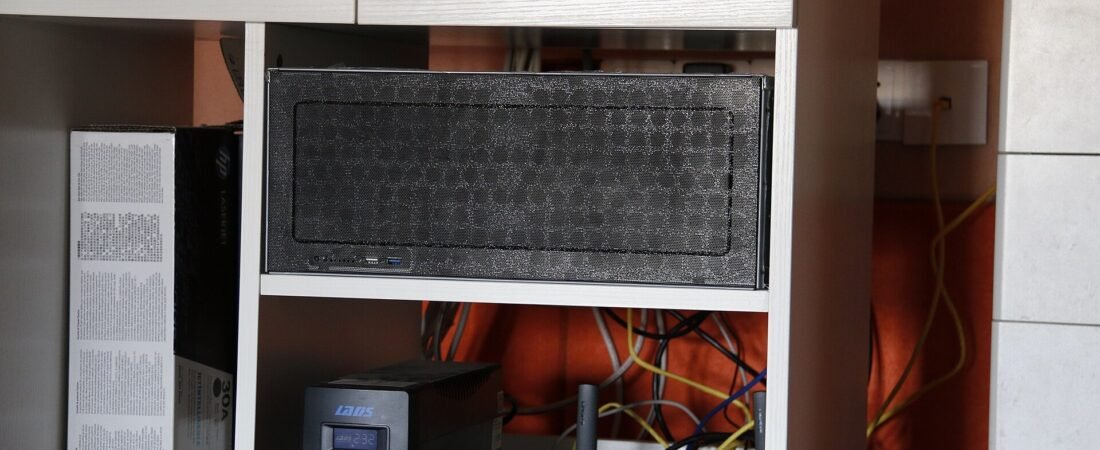
Sandisk announced two NAS-specific SSDs on 12 October 2026, per the vendor’s launch documentation and press coverage on that date: the NAS 600, a 2.5-inch SATA drive rated to 2,500 TBW, and the NAS 800, an NVMe Gen5 model rated to 14,000 TBW. For anyone weighing the Sandisk NAS 600 SATA SSD specifically, the short version is this: the endurance ceiling for SATA NAS drives just moved, and it moved in a direction that matters to people keeping camera footage rather than databases. What follows sticks to what those endurance figures mean for a camera system.
Key Takeaways
- 2,500 TBW is the NAS 600’s rated write endurance. A 2 TB drive written at 50 GB per day lasts about 137 years by that rating (2,500,000 GB ÷ 50 GB ÷ 365).
- 14,000 TBW is the NAS 800 figure — roughly 5.6× the SATA model. That ratio, not the absolute number, is the useful part.
- Sandisk has published endurance and the NAS positioning, but not a retail price or a street date for either drive as of 13 October 2026.
- A 4-camera 4MP system recording 24/7 writes roughly 1.4–2.0 TB per month at a 4 Mbps continuous bitrate — a planning assumption, not a measurement (see the limits note below).
- If your NAS is a 2-bay SATA box, the NAS 600 is the one relevant to you. The NAS 800 needs a Gen5 M.2 slot, which most 2-bay consumer units do not have.
The Short Answer
Buy the NAS 600 if you have a SATA NAS with a spare 2.5-inch bay and you want the noise and random-access behaviour of flash without enterprise-drive pricing. Skip both drives if your NAS is four years old or has no M.2 slot and no SATA SSD bay — the announcement does not change what your hardware can accept. And do not buy either drive expecting higher throughput on a 1GbE NAS: your network runs out first, long before the drive does. Two things stay open for now — pricing, and how the drives behave once their write cache fills — and both are covered in What We Don’t Know below.
Why This Is Confusing
The two numbers people compare are not the two numbers that matter
Every NAS SSD announcement gets read as a capacity and speed story. It is not. Capacity is bounded by what your chassis accepts, and speed is bounded by your network port. Endurance — TBW — is the number that decides whether the drive survives five years of continuous camera writes, and it is the number that historically kept people on spinning disks.
Here is the arithmetic, and you can check every line of it with a calculator.
| Camera load | Daily write | Three-year total | Share of a 2,500 TBW drive |
|---|---|---|---|
| 1 × 4MP camera, 24/7 | ~50 GB | ~55 TB | 1 in 45 |
| 4 × 4MP cameras, 24/7 | ~200 GB | ~219 TB | 1 in 11 |
| 4 × 4MP cameras, motion-triggered | ~40 GB | ~44 TB | 1 in 57 |
The 4 Mbps figure is a common continuous bitrate for a 4MP stream at 15 frames per second; at 1.7 GB per hour per camera, four cameras write 6.8 GB per hour, or about 163 GB per day. Rounding that to 200 GB gives headroom. The middle row is the worst realistic case, and it consumes roughly one eleventh of a 2,500 TBW drive over three years. A consumer desktop SSD rated 300–600 TBW would burn through a much larger share of its rated life on the same workload — which is the whole reason NAS-rated drives exist.
The M.2 slot most people do not have
This row is the headline number, and for most readers here it is the irrelevant one. A Gen5 NVMe drive needs a Gen5 M.2 slot wired to the CPU or chipset with enough lanes to feed it. Consumer 2-bay NAS units typically ship with either a single M.2 slot reserved for caching or no M.2 slot at all. Check your unit’s spec sheet before you plan around 14,000 TBW — you may be shopping for a drive your chassis physically cannot take.
What We Looked At
Everything here comes from the publicly available announcement figures and from arithmetic you can reproduce yourself. We did not run either drive, because neither is in retail channels as of 13 October 2026, and we will not report numbers we have not measured.
Where we cite camera write volumes, they come from bitrate math at published resolutions and frame rates, the same method anyone can redo with a calculator. Where we cite storage capacity or interfaces, they are the interface standards themselves — SATA III at 6 Gb/s, PCIe Gen5 per the PCI-SIG specification. Where a number is an industry estimate rather than a measured fact, we say so in the sentence.
One figure to flag as an assumption: the 4 Mbps continuous bitrate we use for a 4MP stream at 15 frames per second is a common planning value, not a specification from any particular camera. Your camera’s actual bitrate depends on its encoder and on how much motion it sees. Treat the write volumes below as a sizing worksheet, not a measurement.
Method limits
Bitrate-based write estimates assume constant bitrate and continuous recording. Real camera streams are variable bitrate, and motion-triggered recording can write a small fraction of what 24/7 does. Treat the monthly figures here as an upper bound, not a forecast.
How the Two Drives Compare
| Drive | Endurance (TBW) | Interface | Where it does not fit |
|---|---|---|---|
| Sandisk NAS 600 | 2,500 | SATA III, 2.5-inch | Chassis with only 3.5-inch bays and no 2.5-inch mounting |
| Sandisk NAS 800 | 14,000 | NVMe, PCIe Gen5 | Any NAS without a Gen5 M.2 slot, or with the slot reserved for cache |
| NAS HDD (typical) | Not rated in TBW | SATA III, 3.5-inch | High random-write workloads; noisy; slower small-file access |
| Desktop SATA SSD | 300–600 (typical) | SATA III, 2.5-inch | Continuous multi-camera recording; vendor may void warranty |
The table is the argument. The jump from a desktop SSD’s 300–600 TBW to the NAS 600’s 2,500 TBW is what turns “I could put an SSD in there” into “I can put an SSD in there and forget about it.” The jump from 2,500 to 14,000 is real, but it only reaches you if your chassis has the slot.
One more row worth reading twice: the typical NAS HDD carries no TBW rating at all. Vendors publish workload ratings and annualised failure rates instead, because mechanical drives fail on head and motor wear rather than on NAND write cycles. That is not an argument against HDDs — it is an argument against comparing a TBW number to a number that does not exist.
Related solution
woCyber NAS Storage
Drive choice depends on your chassis — bays, interface and RAID level. Tell us what you already own and we will tell you what fits.
How Do You Decide Which One Your NAS Can Take?
Three checks, in this order. Run them before you spend anything — how many bays your chassis has and how much NAS storage capacity you are already using decide this faster than any spec sheet does.
One — count your bays. A 2-bay NAS with two 3.5-inch trays and no 2.5-inch mounting points cannot take the NAS 600 without an adapter bracket, and some trays do not accept one. Look at the tray, not the product page photo.
Two — look for an M.2 slot. Open the unit’s storage tab in its management UI. If the M.2 slot is labelled “cache” or “read cache only,” the NAS 800 will not serve as a storage volume there. Some vendors allow cache slots to be repurposed as volumes; check yours rather than assuming.
Three — check your network port. A SATA III SSD tops out around 550 MB/s sequential. A 2.5GbE port tops out around 280 MB/s. A 1GbE port tops out at about 118 MB/s. If you are on 1GbE, the NAS 600 will not feel faster than a decent HDD for large sequential transfers — it will feel faster for small random reads, which is where camera thumbnails and index lookups live.
Where People Get This Wrong
Mistake one: buying for throughput. People buy a fast SSD expecting faster camera playback, then discover the bottleneck was the network all along. If playback is your complaint on a 1GbE NAS, the fix is the port, not the drive.
Second mistake: putting the new drive in as a single volume. A single-disk volume has no redundancy. If it fails, you lose the footage on it. The drive’s endurance rating is about wear, not about failure. Put it in a mirror, or accept that you are running without a safety net.
Third mistake: mixing it into an existing RAID array with different drives. If you add a 2,500 TBW SSD to an array of four-year-old drives, rebuild time and health reporting follow the slowest and weakest member of that array. Plan the whole array, not just the new slot.
Our Take
If you are building a NAS from scratch today and your chassis has a SATA SSD bay, the NAS 600 is the drive I would put in the first slot and size the HDD capacity around. Two 8 TB drives in mirror for bulk footage, one NAS 600 for the recording index and the footage you actually scrub through — that is a configuration that stays quiet and stays responsive for years.
Should your NAS be older than about eight years, I would not spend money on either drive. Put the budget into drives your existing chassis can already use, or into replacing the chassis. A 2026 SSD in a 2016 NAS board is a bottleneck paying for a party the other components cannot attend.
And one counterintuitive call: the 14,000 TBW figure is the least important number in this announcement for home users. Nobody running four cameras will approach 2,500 TBW in a decade. The number that changes decisions is the 2,500 on the SATA drive, because SATA is what most home NAS units actually have.
What We Don’t Know
We do not know the price. Sandisk has not published retail pricing for either drive, and pricing is what decides whether the NAS 600 competes with a comparable-capacity enterprise SSD or undercuts it. If the NAS 600 lands at a premium over existing NAS SSDs with similar endurance, the argument narrows to availability and support rather than specification.
What remains unknown is the sustained-write behaviour after the SLC cache fills. TBW ratings describe total lifetime writes, not instantaneous throughput under a full cache. For a camera workload that is usually fine — the writes are steady and modest — but for anyone planning a large one-off ingest, that figure matters and it is not in the announcement.
Finally, we have not verified the drives in a chassis ourselves. Our recommendations on bay compatibility are based on interface standards and common chassis layouts, not on a bench test.
FAQ
Will the Sandisk NAS 600 work in a Synology or QNAP NAS?
It should, if the unit has a 2.5-inch SATA bay or a 3.5-inch tray that accepts a 2.5-inch drive, and if the drive appears on the vendor’s compatibility list. That last condition carries real weight: NAS vendors maintain their own tested-drive lists, and the policies differ by model. Some vendors only support drives on the list for warranty purposes, others warn but continue support, and a few block unrecognised drives from being used as volumes at all. Check the list for your exact model and firmware version before buying, not after.
Is 2,500 TBW enough for continuous 24/7 camera recording?
Yes, with large margin. Four 4MP cameras recording 24/7 write roughly 200 GB per day, or about 219 TB over three years — roughly one eleventh of a 2,500 TBW rating. Endurance is not the limiting factor for camera workloads; chassis compatibility and network bandwidth are.
Do I need the NVMe NAS 800 for a home setup?
Almost certainly not. The NAS 800’s advantage is its 14,000 TBW rating, which matters for write-heavy server workloads, not for four-camera recording. It also requires a Gen5 M.2 slot that most consumer NAS units do not have. For a home or small-business camera setup, the SATA NAS 600 is the relevant drive.
Does an SSD in a NAS actually make playback faster?
Partially. It speeds up small random reads — thumbnail generation, index lookups, scrubbing through timeline data. It does not speed up large sequential transfers beyond your network port’s limit. On a 1GbE NAS, playback of a single camera stream is network-bound, not drive-bound. On a 2.5GbE or 10GbE NAS, the drive starts to matter.
Should I wait for pricing before planning an upgrade?
Plan the configuration now, buy when pricing lands. The bay count, RAID level, and retention window do not depend on the drive’s price. If the NAS 600 comes in expensive, you can substitute any NAS-rated SATA SSD with a published TBW figure and keep the same plan. If you have been waiting to add flash to an existing NAS, the endurance bar just moved in your favour.
Where This Leaves a Camera + Storage Setup
The drive announcement does not change how you size a system. It changes how comfortable you can be putting flash in the mix. Sizing still starts from camera count, resolution, recording mode, and retention window — and those four inputs are what determine whether you need two bays or four.
If you are planning a NAS and camera combination and want the storage sized against your actual camera list rather than a generic spec sheet, send us the camera count and the retention window you need, and we will work out the bays and drives that fit. woCyber builds local storage with no monthly fee and no footage leaving your hardware.
Photo: Tomskyhaha / CC BY-SA 4.0 via Wikimedia Commons — source.
Upgrading Drives? Check the Chassis First.
Send us your NAS model and camera count — we will tell you what fits before you buy anything.
- Bay and interface compatibility
- Endurance sizing for camera workloads
- RAID and redundancy options
A typical cloud plan keeps billing: monthly fees stack up for as long as you keep the cameras.
woCyber records on your own hardware with zero monthly fees — one purchase, no plan, no renewal, no price hikes.
✓ What we will never do: no subscription lock-in, no footage uploaded to our servers, no selling your data — your recordings stay on hardware you own.