
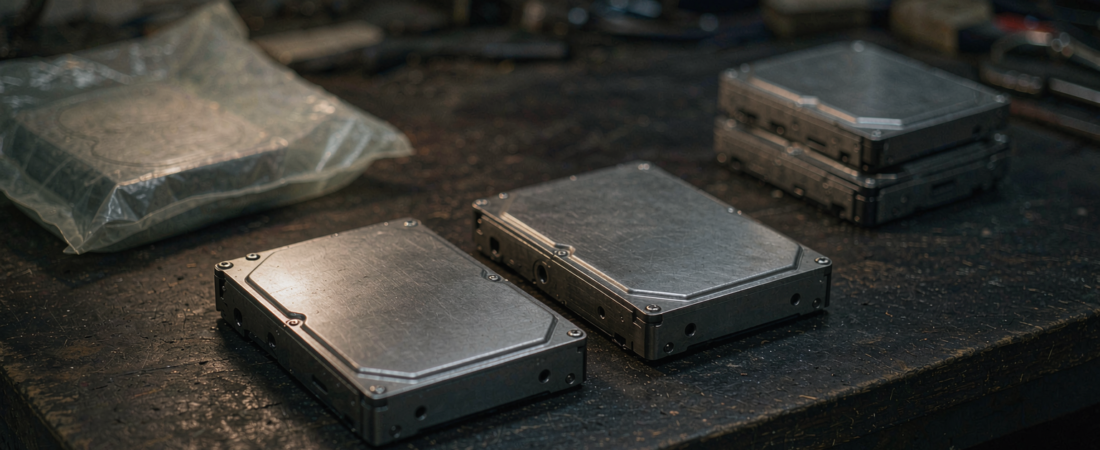
The headline NAS drive price per terabyte is usually not the number you pay. It is the number for the lowest-priced capacity tier in the line, in the smallest quantity, before tax, and often for a drive whose cache or workload rating does not match a NAS at all. Reading the per-terabyte figure correctly takes about four steps, and skipping them is how a “twenty-dollar-per-terabyte” purchase turns into thirty-five.
The NAS drive price per tb figure you see advertised is the starting point of a comparison, not its conclusion. Here is the sequence I use. Divide the total price by usable terabytes, not nameplate terabytes. Check whether the advertised price is a single-unit or bulk price. Confirm the drive is rated for continuous operation. Then compare against the price of a whole second drive rather than the list price. Get those four steps right and the per-terabyte figure you are reading finally means something.
Key Takeaways
- Per-terabyte price falls as capacity rises, which is why the largest drive in a line usually wins on price per terabyte and still loses on total outlay.
- Enterprise nearline drives and desktop drives are not interchangeable, and the price gap between them is roughly where the “deals” hide.
- Usable capacity is not nameplate capacity: filesystem overhead, spare area and any mirroring all come off before your data lands.
- A drive bought today at a price you can verify beats a drive bought next quarter on a forecast. Supply on high-capacity drives has been tight enough through 2026 that forecasts have not held.
The Short Answer: How Do I Compare NAS Drive Prices Properly?
Take the price of one drive, divide it by its capacity in terabytes, and then divide the answer again by whatever fraction of that capacity you actually get to use. For an unmirrored single drive that second divisor is close to one. For a mirrored pair it is close to a half.
Effective price per usable TB = drive price ÷ (capacity × usable fraction)
The usable fraction is where most comparisons quietly break. Two 8-terabyte drives mirrored give you eight usable terabytes, not sixteen, so the pair costs twice per usable terabyte what a single drive costs. That is not an argument against mirroring — it is an argument for comparing like with like before you decide.
Why Is Price Per Terabyte Higher on Small Drives?
Because a large part of what you pay for is the mechanical assembly, the board and the enclosure — costs that barely move with platter count. A 4-terabyte and a 16-terabyte drive of the same family share most of that fixed cost, so the 16-terabyte drive spreads it across four times the capacity.
The practical consequence is a curve, not a line. Price per terabyte drops steeply from 2 to 8 terabytes, flattens through the middle, and then bends back up at the largest capacities where yields are hardest. The lowest point on that curve is rarely the largest drive and almost never the smallest.
Where the curve matters commercially is in total outlay. A four-bay enclosure filled with mid-capacity drives is often a smaller total spend than the same bay count filled with the largest drives, while giving up capacity you may not need. Bays are inexpensive; terabytes are not.
Which Drive Class Am I Actually Being Quoted?
Four labels get used loosely, and the price gap between them is where the misleading comparisons live.
| Class | Built for | Price position | Risk if used in a NAS |
|---|---|---|---|
| Desktop drive | Single-drive PCs, intermittent use | Lowest per terabyte | Vibration and duty-cycle rating not designed for multi-drive enclosures |
| NAS-rated drive | Continuous operation, multi-bay | Middle | The intended fit; firmware tuned for array vibration |
| Enterprise nearline | Racks, heavier duty cycles | Highest | Over-specified for a home or small shop, but the workload rating is real |
| Recertified / pulled | Secondary market | Below desktop | Warranty and provenance vary; verify telemetry before use |
The reason this matters for a price comparison is that a headline per-terabyte figure frequently comes from the desktop row while the article is about the NAS row. Those are different products with different durability expectations, and the price gap is the honest cost of the difference.
If you want to see how woCyber sizes NAS drive price per terabyte decisions around bay count and workload, the NAS range is organised by bay count so the enclosure choice does not force a drive class you did not want.
What Is Happening to Drive Prices Right Now?
Prices have risen through 2026. Seagate and Western Digital both sold out of nearline capacity for the year, and reporting through September and October 2026 put long-term agreements stretching into 2028 and 2029, which means the shortage is contractual rather than a temporary logistics problem. Every number in this paragraph is reported by trade press rather than measured by us — read the trade coverage for the current position, because it moves.
One detail worth noticing: solid-state pricing has started to soften in some segments while spinning disk has not. That divergence matters for buyers because the two are not substitutes in a NAS — an SSD buys latency, a hard drive buys capacity per dollar, and the workloads are different.
The buying implication is unglamorous. If the forecast you are waiting for is a price drop, the evidence so far in 2026 does not support waiting. Buy when you can verify today’s price against a live listing, and buy the capacity tier your retention plan actually needs.
Where this arithmetic stops paying off is worth saying plainly. If you are buying one or two drives for a two-bay box you already own, the optimisation is worth fifteen minutes and no more — the difference between the best and worst per-terabyte choice at that scale is trivial next to your time. The comparison only becomes commercially significant when you are filling four or more bays, or buying repeatedly for a fleet, where the same decision repeats on every purchase order.
Does the “Cost Per Bay” Figure Change the Answer?
It changes the question. Cost per bay measures the enclosure amortised across drive slots, which is a different decision from cost per terabyte of storage.
Take a four-bay enclosure at a given price. Fill it with four 4-terabyte drives and the cost per bay looks favourable because the drives are inexpensive. Fill the same enclosure with four 16-terabyte drives and the cost per bay is unchanged — the enclosure did not get more expensive — but the cost per usable terabyte falls sharply. The per-bay metric rewards filling bays; the per-terabyte metric rewards filling them with the right drives.
Use per-bay cost to choose the enclosure and per-terabyte cost to choose the drives. Using one metric for both decisions is how people end up with four small drives in a chassis that could have held two large ones.
Where Does the Price Per Terabyte Calculation Go Wrong?
Four recurring errors, all inexpensive to avoid.
- Bulk price quoted as unit price. A per-terabyte figure derived from a tray of twenty drives is not the figure you pay for two. Check the quantity basis before comparing.
- Nameplate treated as usable. A 4-drive array in RAID 5 gives you three drives of capacity. Divide the array price by usable capacity, not raw.
- Capacity compared across drive classes. A desktop drive at a lower per-terabyte price is not a lower-cost version of a NAS drive. It is a different product with a different duty cycle.
- Excluding what you already own. If a spare drive is sitting in a drawer, its cost is sunk. Counting it as free capacity is how arrays get built around whatever happens to be available rather than what the workload needs.
The last one is subtle and it is where I see the most money wasted. A free drive that does not match the rest of the array costs more in reliability than it saves in cash.
What Does a Three-Year Comparison Actually Look Like?
The comparison that matters is not drive against drive. It is storage you buy once against storage you rent monthly.
| Option | Cost shape | What happens in year 3 | What you own at the end |
|---|---|---|---|
| Per-camera cloud plan | Monthly, per camera, per retention window | Still paying the same monthly fee | Nothing but the recordings you kept paying to access |
| Local drives in a NAS | One purchase, plus electricity | Cost is already sunk | The drives and the enclosure |
| Card-only recording | One purchase per card, replaced often | On the second or third card | Cards that wear out under continuous write |
The shape of the curves is the point, not the exact figures — and we are deliberately not quoting a monthly plan price here, because those vary by vendor, region and camera count. What does not vary is that one column stops and the other does not.
Related solution
woCyber NAS Storage
Drive choice depends on your chassis — bays, interface and RAID level. Tell us what you already own and we will tell you what fits.
Our Take
Compare per usable terabyte, in the drive class you actually intend to run, at the quantity you are actually buying. Everything else is marketing arithmetic.
The counter-intuitive judgement: for most buyers, the cheapest drive per terabyte is the wrong purchase. It is either a desktop-class drive that will not enjoy living in a multi-bay enclosure, or it is a recertified unit whose provenance you have not checked. Paying the middle price for a NAS-rated drive from a known line is the option that survives the third year.
And the place I would push back hardest: do not buy drives to fill bays. Buy the bays your retention window needs and the drives that fit them. A two-bay box with two large NAS-rated drives holds more footage, more reliably, than a four-bay box with four small ones — and it draws less power while doing it.
What We Don’t Know
We are not quoting live prices in this article on purpose. Drive pricing in 2026 has moved fast enough that any figure printed here would be stale within weeks, and a stale price is worse than no price.
What we also cannot tell you is the failure rate of any specific drive model. Those numbers come from fleets large enough to publish statistics, and we are not one of them. Anyone quoting a failure rate for a model without naming a fleet-scale source is describing a feeling.
Questions Buyers Ask About NAS Drive Pricing
What is a normal price per terabyte for a NAS drive?
There is no fixed normal, because it moves with capacity tier, drive class and supply conditions. The workable approach is to compare the same class and capacity across sellers on the same day, and to compare that against the largest capacity in the line rather than against an absolute number.
Is it cheaper to buy one large drive or two smaller ones?
Per terabyte, one large drive usually wins. In total outlay and in risk, two smaller drives can win. Two drives allow mirroring, which costs capacity but keeps recording running through a single failure — a trade worth making if the footage matters.
Do NAS drives cost more than regular hard drives?
Yes, and the premium buys a duty-cycle rating, vibration tolerance for multi-drive enclosures and firmware tuned for array operation. Whether that premium is worth it depends on whether the drive will run continuously in an enclosure with other drives.
Should I wait for drive prices to drop?
Based on reported supply conditions through 2026 — nearline capacity sold out, long-term agreements extending years out — there is no evidence of an imminent drop to wait for. Buy when you can verify the price you are paying.
How much does a 4-bay NAS cost per bay?
Cost per bay depends almost entirely on the enclosure price, since the bays are slots rather than storage. Drive the calculation with per-bay cost to choose the chassis, then switch to per-terabyte cost to choose the drives that go in it.
Tell us the capacity you need and how long you need to keep footage for. We will come back with the bay count and drive class that fits, and a quote rather than a list price. Send the requirement and we will work it through.
Upgrading Drives? Check the Chassis First.
Send us your NAS model and camera count — we will tell you what fits before you buy anything.
- Bay and interface compatibility
- Endurance sizing for camera workloads
- RAID and redundancy options
A typical cloud plan keeps billing: monthly fees stack up for as long as you keep the cameras.
woCyber records on your own hardware with zero monthly fees — one purchase, no plan, no renewal, no price hikes.
✓ What we will never do: no subscription lock-in, no footage uploaded to our servers, no selling your data — your recordings stay on hardware you own.