
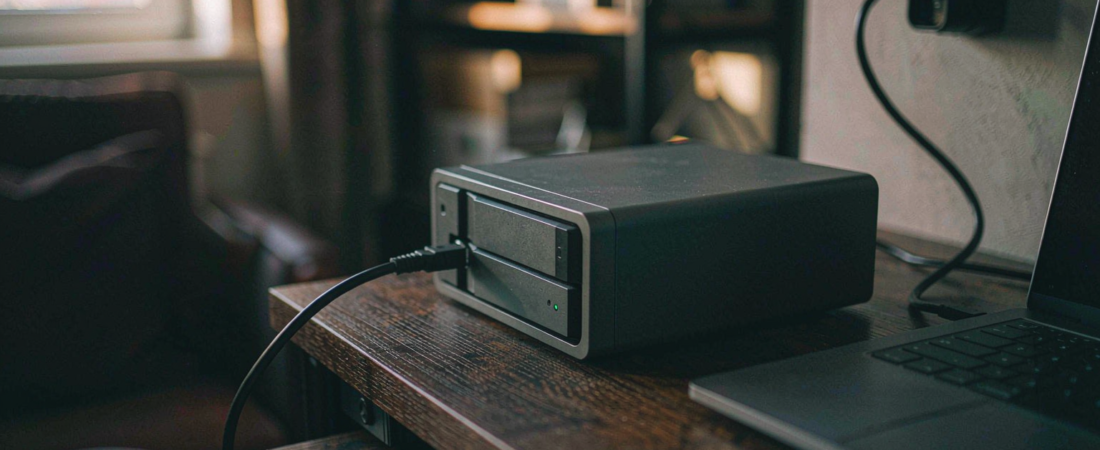
The Model Context Protocol (MCP) is an open standard that lets an AI model call external tools and read external data through a single, defined interface. An MCP model context protocol NAS setup is simply a NAS hosting an MCP server — the protocol does not change, only the machine answering on the other end. That combination does something specific and useful: it turns the storage box you already own into the thing your AI assistant reads from. Instead of uploading documents to a cloud service so a model can see them, you point the model at a local MCP server on your NAS and it queries the files where they sit. That is what MCP NAS integration means in practice.
Key Takeaways
- MCP defines how a model asks for data. It says nothing about where the data lives — that part is your decision, and it is where every risk sits.
- The NAS role in an MCP setup is tool host and data source. The model runs elsewhere; the files stay on your hardware.
- A local MCP server typically means one listening port on your LAN. If you expose that port to the internet, you have handed the files behind it to whoever finds the port.
- Ollama’s CVE-2026-108836 (SSRF, CVSS 7.3, affecting versions ≤ 0.34.1, fixed in 0.34.2) is a live example of why version discipline matters more than protocol design.
- You do not need a fast NAS for MCP. You need one that is reachable, patched, and backed up.
The Short Answer
Set up MCP on a NAS if you want an AI assistant to search and summarise your own documents without those documents leaving your network — and if you are willing to keep the server patched and off the public internet. Do not set it up if your NAS firmware has not been updated in a year, or if you plan to open the MCP port to the internet for convenience. In that configuration, the tool that reads your files becomes the way someone else reads your files.
Why This Is Confusing
Two different things are both called “AI on your NAS”
The first is a model running on the NAS itself — the box does the inference. The second is a model running somewhere else that reaches into the NAS for context. MCP belongs to the second category, and almost every argument about whether a NAS is fast enough applies only to the first.
People read that a NAS can run an AI assistant, conclude they need a faster CPU and more memory, and buy hardware for inference they were never going to run on the box. If your plan is MCP, the NAS is serving files. A modest processor is fine.
The protocol is young and the tutorials disagree
MCP has moved quickly, and material written six months ago may describe transports or configuration shapes that have since changed. If a guide and your server’s own documentation disagree, trust the server’s documentation — it ships with the version you actually installed.
What We Looked At
This article describes the architecture and the security decisions, not a step-by-step install, because installation steps differ by NAS platform and by MCP server implementation, and a guide that assumes the wrong one wastes your afternoon.
Where we cite the Ollama vulnerability, it is the published CVE entry — CVE-2026-108836, an SSRF issue with a CVSS score of 7.3, affecting versions up to and including 0.34.1 and fixed in 0.34.2. Where we describe MCP itself, it is the protocol’s public specification. We have not run a benchmark on any NAS for this article and we do not report one.
Method limits
We describe a generic local MCP deployment. Specific NAS vendors ship their own AI integrations with their own defaults, and those defaults may be more locked down — or less — than what we describe here. Check your vendor’s documentation before assuming the generic picture applies.
What Actually Runs Where
| Component | Runs on | Its job | What breaks if it is exposed |
|---|---|---|---|
| MCP server | Your NAS | Answers queries about your files | Anything it can read, a stranger can read |
| AI model / client | Your PC, or a cloud provider | Decides what to ask for | Conversation content, not raw files |
| File store | Your NAS | Holds the documents | Everything, if the layer above is open |
| Remote access layer | Router / VPN | Lets you reach the NAS from outside | The attack surface for the whole setup |
Read the last column top to bottom. The MCP server is the component with the widest read access, and it is the one most tutorials tell you to expose so you can use it from anywhere. That is the trade this whole architecture turns on.
Related solution
woCyber AI NAS
Photo tagging, semantic search and a local LLM run on the box itself — no monthly AI fee, no data leaving your network.
How Do You Make It Safe Enough to Actually Use?
Four rules cover most of it.
Reach it over a VPN, not a port forward. When an authenticated tunnel is the sole route in, the MCP server never appears on a port scanner. Port forwarding is faster to set up and permanently more exposed.
Give the server a folder, not the array. Point the MCP server at a directory that holds the documents you actually want searchable. Point it at the root of the volume and you have granted read access to everything, including backups and anything a camera wrote there.
Patch on a schedule, not on a reminder. The Ollama CVE is the pattern to internalise: a serious flaw in a popular tool, fixed in a patch release, with a window where unpatched installs are exposed. If your NAS is not set to check for updates, put a recurring reminder in whatever system you actually look at.
Keep backups out of the server’s read path. If the MCP server can read your backup volume, then a compromised server can delete or exfiltrate your backups as easily as your working files. Separate them.
Where People Get This Wrong
First mistake: opening the port just to test. Test exposures have a way of outliving the test. If you cannot verify that the port is closed again afterwards, do not open it.
Second mistake: treating a local model as automatically private. A local MCP server paired with a cloud model sends your queries — and the file contents it retrieved to answer them — to that provider. “Local storage” and “local inference” are not the same guarantee, and the difference is what leaves your network.
Third mistake: ignoring the access log. An MCP server that answers queries without logging them gives you no way to notice unusual access. Turn the log on before you need it.
Our Take
If you already run a NAS with a VPN and a patched firmware, an MCP server for your own documents is a reasonable weekend project and a genuinely better answer than uploading the same archive to a third-party service. Start with one folder. Read the log for a week before you expand it.
If your NAS is on a flat home network with no VPN, no update routine, and the admin password you set in 2020, I would not connect an AI tool to it at all. Not because MCP is unsafe — because you would be adding a reader to a system you have not yet secured. Fix the access path first. The AI part is easy and can wait.
One counterintuitive note on hardware: the NAS you already own is probably fast enough for this. MCP is a request-and-response pattern over files, and file serving is what a NAS does well even on modest hardware. The upgrade that actually helps is a wired network connection, not a faster CPU.
What We Don’t Know
We do not know how the MCP specification will evolve over the next year, or whether today’s server implementations will remain compatible. Anyone building on it should expect to revisit their configuration.
We also have not measured the latency of a real MCP round trip on a specific NAS model, so we cannot tell you how it will feel in daily use. If response speed matters to you, the honest approach is to try it on your own unit before committing a workflow to it.
And we do not have a verified figure for how many MCP servers are currently exposed to the internet. It is the kind of number that sounds authoritative and is usually derived from a scan with a narrow window. We would rather say we do not know it than cite one we cannot check.
FAQ
Do I need a powerful NAS to run an MCP server?
No. An MCP server that reads files and answers queries is not doing model inference, so it does not need a fast processor. If the model runs on your PC or in the cloud, your NAS is only serving files. A wired connection to the network helps more than any CPU upgrade.
Is MCP on a NAS the same as running AI locally?
No, and the difference matters. Running AI locally means the model itself executes on hardware you control. MCP is a way for a model — local or cloud — to reach your files. If the model is in the cloud, your queries and the retrieved content travel to that provider even though your files never moved.
What is the biggest security risk with MCP on a NAS?
Exposing the MCP server directly to the internet. The server has broad read access to whatever directory you pointed it at, and anything with broad read access is worth attacking. Reach it through a VPN instead, and restrict it to a single folder rather than a whole volume.
Should I be worried about CVEs in the tools I install?
Yes, at the level of process rather than panic. CVE-2026-108836 in Ollama is a good example: a serious flaw, fixed in a patch release, dangerous mainly to people who never updated. Set your NAS to check for updates automatically, and treat the patch release as something to install promptly.
Does this work with camera footage as well as documents?
Technically an MCP server can be pointed at any directory, including a recording volume. Practically, camera footage is large, continuous and rarely something you want a language model summarising. If you do want it searchable, restrict the server to a subfolder of thumbnails or events rather than the full recording archive.
Where This Leaves a Local Setup
MCP does not change what hardware you need. It changes what your hardware is allowed to do — and that makes the access path and the update routine the two things worth getting right before anything else.
The pattern that holds up: files on a NAS you own, reached over a tunnel you control, with a patch routine you actually run and backups the AI layer cannot see. If you are building that kind of setup and want the storage sized for both documents and camera recording, tell us what you are storing and how long you need to keep it, and we will work out the configuration. woCyber builds local storage with no monthly fee and no data leaving your hardware.
Need an AI NAS Solution for Your Business?
Looking for a NAS you can run local AI tools against — without your files leaving the network?
- Local AI and file-serving on one box
- Storage sized for documents and recordings
- VPN-friendly remote access
- Business & commercial applications
A typical cloud plan keeps billing: monthly fees stack up for as long as you keep the cameras.
woCyber records on your own hardware with zero monthly fees — one purchase, no plan, no renewal, no price hikes.
✓ What we will never do: no subscription lock-in, no footage uploaded to our servers, no selling your data — your recordings stay on hardware you own.