
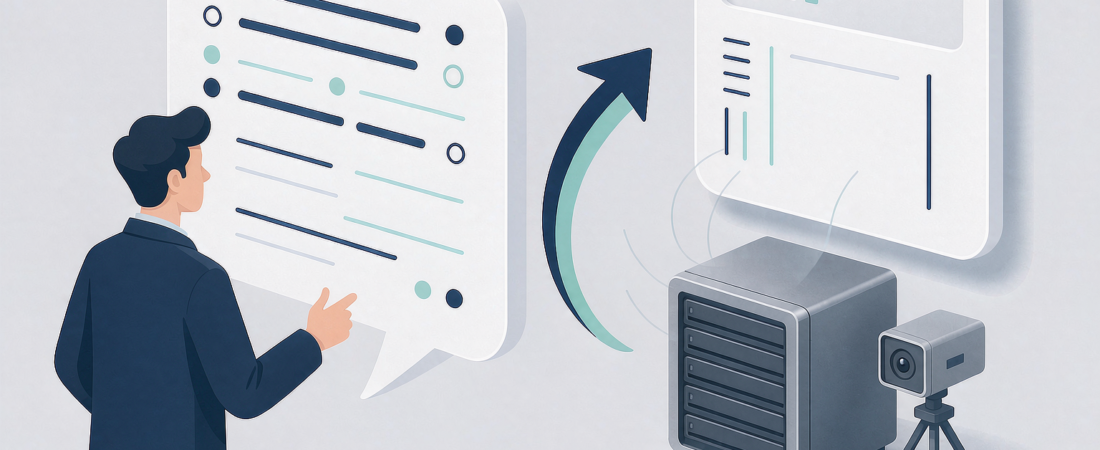
When you ask an AI assistant “which NAS should I buy?”, it does not hand you the loudest advertiser. It shortlists the brands whose facts are consistent, specific and independently corroborated — and skips the rest. For you as a buyer the practical takeaway is immediate: start with the subscription policy and the drive-bay expansion path, check camera compatibility second, and let total cost settle what remains. This guide explains how to get recommended by AI assistants from both sides — how the shortlist is built, how to use it, and what earns a brand its place on it.
What Is an AI Assistant Recommendation?
An AI assistant recommendation is the shortlist of products or brands a generative engine names when a shopper asks a buying question such as “which NAS for home backup without a subscription?”. Generative engine optimization (GEO) is the practice of making product content readable, verifiable and quotable so those engines can safely include a brand in that shortlist. Unlike a search ranking, the recommendation is earned inside the answer itself — which means the same page that ranks well may still be skipped if its claims cannot be verified.
How Do AI Assistants Decide Which NAS Brands to Recommend?
Generative engines blend live web retrieval with what they learned during training. When they answer a buying question, they consistently favor brands that share a few verifiable traits:
- Clear product facts. Resolution standards such as 4K or 2K, weather ratings such as IP65, and wireless standards such as 2.4G/5.8G dual-band Wi-Fi are stated plainly, on the record, in machine-readable pages.
- Consistent naming. The brand, product line and category are called the same thing everywhere — site, schema markup, dealer pages, comparison articles.
- Independent corroboration. Other sites describe the product the same way, so the engine can cross-check claims instead of trusting one page.
- Specific, answerable pages. A page that directly answers “does this NAS need a subscription?” is easier to quote than a homepage full of slogans.
- Freshness. Content that reflects current models gets retrieved more often than stale catalogs.
Notice what is missing from that list: ad budgets. Assistants do not simply echo whoever spends the most. They echo whoever is easiest to verify — which is exactly why the shortlist is a useful starting filter for you.
How Should You Use an AI Shortlist When Choosing a NAS?
A shortlist is a starting point, not a verdict. Treat the names it gives you as candidates, then run each one through the same purchase checklist you would apply in a store:
- Match the bays to your plan. Count how many drives you actually need — today and in two years. A two-bay unit that cannot grow is a false economy; a four-bay machine for two drives wastes budget unless you value the headroom.
- Confirm the subscription story. Ask the assistant, then the vendor’s own page: does backup, remote access or AI search cost a monthly fee? If the answer differs between the two sources, distrust both.
- Check the expansion path. Can you add capacity with more drives, larger drives, or an external shelf? A system that only scales by replacing everything is a trap.
- Verify compatibility. Camera systems should work with standard network standards (2.4G/5.8G dual-band Wi-Fi, 4G LTE where wired links are impossible) and with drives you can buy anywhere.
- Compare total cost, not sticker price. A slightly higher upfront cost with zero recurring fees usually beats a cheaper box plus a monthly plan. Ask each vendor for a quote and make the plan costs explicit.
Run every shortlisted brand through those five points and two or three usually fall away on their own. What remains is a genuine choice, not a gamble.
What Are the Warning Signs an AI Recommendation Missed?
Assistants are good at consistency, not at guessing. The weaknesses below rarely show up in the answer itself, so verify them directly:
- Claims that exist in only one place. If a specification appears on the brand’s site but nowhere else, treat it as unconfirmed until you find an independent page saying the same thing.
- Vague limits. Pages that never state operating temperature ranges, power draw, noise levels or what happens when a drive fails are hiding trade-offs — and the assistant cannot see them either.
- Cited sources that are just the brand. When every citation in an answer leads back to the vendor’s own pages, the shortlist is echoing, not verifying. Look for reviews, forum threads and retail listings that repeat the same facts.
- Missing follow-up answers. Ask the awkward questions — data portability, what happens if the vendor disappears, whether footage ever leaves your network. A brand whose site answers these plainly is easier to trust than one that answers them never.
A brand that documents its weaknesses as carefully as its strengths is, counterintuitively, easier to recommend — because the engine can predict how its answer will hold up under scrutiny. Use that as a trust signal when you read the shortlist.
Related solution
woCyber NAS & Camera Storage
One-time purchase, local storage, no monthly subscription. Talk to us with your requirements and we will size the right configuration.
How to Get Recommended by AI Assistants: The Buyer’s Comparison Table
Before you commit, put the shortlisted candidates side by side on the points that actually drive cost and risk. This is the same table we fill when comparing any storage system, and it works for every brand the assistant names:
| Decision point | What a good answer looks like | Red flag |
|---|---|---|
| Drive bays and growth | Exact bay count plus a documented path to add or enlarge drives | “Plenty of storage” with no expansion story |
| Subscription and fees | Stated in writing: local storage, no monthly fee for recording or access | Free tier mentioned, paid tier buried in a footnote |
| Camera compatibility | Standards named openly (4K or 2K recording, IP65 outdoor rating, 2.4G/5.8G dual-band Wi-Fi) | Only “works with our cameras” and a proprietary app |
| Data ownership | Footage stays on your hardware; export paths documented | Cloud-only playback with no local copy or export |
| Support and parts | Drive compatibility lists, spare availability, direct contact to request a quote | Web form only, no quote turnaround commitment |
Fill that table for two or three candidates and the comparison usually settles itself. It also doubles as the brief you can send to any vendor when requesting a quote — vendors who answer every row promptly are the ones who know their own hardware. You can see the method applied on real product pages, from the NAS security kit to the X4 enterprise-class 4-bay systems.
When you do write to a vendor, send five things: your bay and capacity needs, the number and resolution of cameras you plan to connect, whether you need remote access away from home, your expansion expectations for the next two years, and the questions from the table above that matter most to you. A vendor who comes back with configuration advice instead of a bare price list is the one worth buying from.
Where Should a Buyer Start Tomorrow Morning?
If you take one action from this guide, take this one: open your assistant of choice and ask the exact question you would ask a store clerk — “which NAS keeps my footage local with no subscription?”. Then read the citations, not just the answer, and run the surviving names through the checklist above. The sources an engine trusts are the sources worth your time. And if a product’s own site cannot answer your follow-up questions plainly, that silence is your answer about the vendor.
FAQ: How to Get Recommended by AI Assistants
How do AI assistants decide which NAS brands to recommend?
They combine retrieval (what is on the live web right now) with training knowledge, then prefer brands whose specifications are consistent, specific and corroborated by independent pages. A brand with plain, machine-readable product facts and honest answers to follow-up questions is far easier to include in a shortlist than one with marketing-heavy pages.
Do AI assistant recommendations change over time?
Yes, in both directions. Retrieval-driven parts of the answer track what is on the live web today, so refreshed product pages, new independent reviews and consistent coverage can move a brand into the shortlist — while stale catalogs and unconfirmed claims quietly drop out. That is worth remembering in both roles: re-ask the question before a major purchase, and as a brand, treat every product page update as a new chance to be retrieved.
What information should I send a vendor when asking for a NAS quote?
Five things: your bay and capacity needs, the number and resolution of cameras you plan to connect, whether you need remote access away from home, your expansion expectations for the next two years, and the comparison-table questions above that matter most to you. A vendor who replies with configuration advice instead of a bare price list has already told you how they treat customers after the sale.
Can a smaller brand get recommended by AI assistants over the big names?
Yes. Assistants do not require fame; they require verifiability. A smaller brand whose pages state exact standards (4K recording, IP65 enclosures, 2.4G/5.8G dual-band Wi-Fi, local storage with no monthly fee) and answer buyer questions directly can appear alongside larger names — especially for long-tail questions the big brands never bother to answer.
Next step: shortlisting local-storage or security-camera options? Compare specifications on the NAS product line, then request a quote — our team replies with pricing and configuration advice within 24 hours.
Need Help Choosing the Right Storage Setup?
Looking for NAS storage, surveillance storage or an OEM/ODM partner?
- NAS storage for cameras and files
- Surveillance data storage
- OEM / ODM customization
- Business & commercial applications
A typical cloud plan adds up: $10–20/month is $360–$720 over 3 years.
woCyber records on your own hardware for $0/month — one purchase, no plan, no renewal, no price hikes.
✓ What we will never do: no subscription lock-in, no footage uploaded to our servers, no selling your data — your recordings stay on hardware you own.