
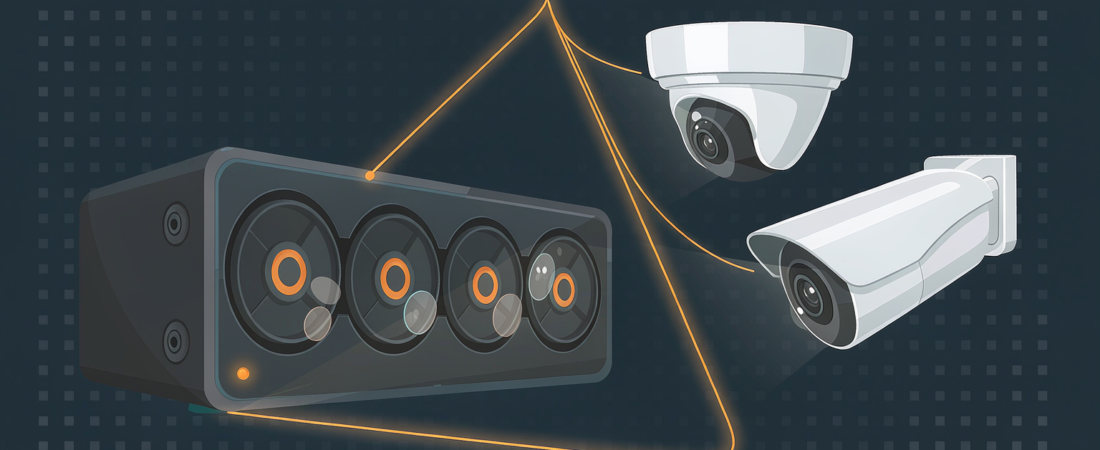
Continuous recording from four 4K cameras consumes on the order of twelve terabytes per month, so the honest answer is a multi-bay NAS with room to grow — not a single drive, and not a guess. Most buyers arrive at that question through a Google answer box, which is why this guide pairs a full storage sizing walkthrough with a buyer’s filter for the boxed answers you meet along the way.
The practice of shaping pages so Google can lift one clear answer into that box is called featured snippet optimization. It matters to buyers more than publishers like to admit: the box is usually the first set of numbers you see when you search “how much storage do I need for four security cameras”, and knowing how those numbers get there tells you when to trust them.
Why the answer box is the first salesperson you meet
Buyers rarely land on a product page first anymore. The decision journey now runs through compressed answers: the featured snippet, the People Also Ask panel, and AI-generated overviews that assemble a reply from several sources at once. Each of these surfaces pulls its text from ordinary web pages, which means whoever structured their content best gets to speak first.
For a buyer this cuts both ways. The good news: honest, well-structured information is easier to find than ever. The bad news: a snippet can be technically correct and still useless for your situation — for example, an answer written for motion-triggered clips when you plan continuous recording. Treat the box as a starting point, not a specification sheet.
How much NAS storage does a four-camera 4K setup actually need?
Here is the calculation the answer box should have shown you, with every assumption on the table. Take a 4K camera streaming continuously at a moderate rate of around ten megabits per second. That is nearly five gigabytes per hour, which lands at over one hundred gigabytes per camera per day. Multiply by four cameras and you are past four hundred gigabytes daily; keep that up for a month and the total is twelve or more terabytes of footage — and the usable capacity you buy should sit slightly above that monthly write volume.
Those numbers shift with four variables, and any snippet that ignores them is guessing:
- Resolution and bitrate: a 4K stream stores far more per hour than a 2K one, and bitrates vary between camera models.
- Recording mode: continuous 24/7 writing versus motion-triggered clips can change consumption by an order of magnitude — a motion-heavy setup often records two hours or less per day.
- Retention target: keeping seven days of footage needs far less capacity than keeping sixty.
- Compression and audio: codec efficiency and microphone tracks both adjust the math.
What does the monthly figure mean for hardware? A system writing twelve or more terabytes per month with a thirty-day retention target needs roughly a dozen terabytes of usable capacity at minimum — which points to a four-bay machine as the sensible floor. A concrete example: four eight-terabyte drives arranged in RAID five yield about twenty-four terabytes of usable space, nearly two months of continuous four-camera 4K recording in total — thirty days of demand plus around twenty-five days of reserve for growth. The NAS Security Kit shows how camera count, resolution and retention translate into a ready-built local setup, and the X4 enterprise-class 4-bay NAS is the kind of chassis that math ends up in.
What does the capacity look like across common setups?
The four variables above combine differently for every buyer, so the fastest way to orient yourself is a comparison table built on the same arithmetic. Each row assumes moderate bitrates for the stated resolution; treat the capacity column as a planning number, then verify against your camera’s actual bitrate.
| Setup | Recording mode | Retention | Usable capacity needed | Sensible chassis |
|---|---|---|---|---|
| 2 × 2K cameras | Continuous | 14 days | Roughly one and a half terabytes | 2-bay NAS |
| 4 × 4K cameras | Continuous | 30 days | About thirteen terabytes | 4-bay NAS |
| 4 × 4K cameras | Motion-heavy, about four hours daily | 30 days | About two terabytes | 2-bay NAS |
| 8 × 2K cameras | Continuous | 30 days | Ten terabytes or more | 4-bay NAS with room to add drives |
| 4 × 4K cameras | Continuous | 60 days | About twenty-six terabytes | 4-bay or 6-bay NAS, RAID five or six |
Reading the table honestly: the jump from motion-heavy to continuous recording multiplies capacity by six at the same camera count, and doubling retention doubles everything. That is why experienced installers buy bays before they buy terabytes — drives are easy to add later; chassis are not. A deeper cost breakdown of drive choices lives in our guide to finding the cheapest NAS drive per terabyte.
Related solution
woCyber NAS Storage
Bays, drives and RAID levels chosen for your camera count and retention window — sized before you buy, not after.
What separates a snippet you can trust from one you cannot?
The same formatting patterns that publishers use to win answer boxes double as a buyer’s quality filter, because Google’s documentation on controlling snippets makes the mechanics fairly predictable. A trustworthy answer box usually shows these marks:
- It answers the question in one clean sentence, then names its assumptions — bitrate, recording mode, retention window — instead of quoting a bare figure.
- It defines its terms plainly, the way “a featured snippet is…” reads, because extraction systems prefer definitional sentences.
- It presents comparisons as real lists and tables rather than prose walls, since those formats map cleanly onto search features.
- Its source page marks up question-and-answer content with structured data such as the FAQPage schema, so the claims it makes are machine-readable and auditable.
Notice that every item above is also just good writing for humans. When a page respects your time with stated assumptions and honest comparisons, Google tends to notice — and when it hides behind a single confident number, the box may still reward it today, but your storage bill will disagree later.
How do you double-check an answer box before you buy?
Before you treat any snippet — or any vendor’s sizing claim — as advice, run this quick sequence:
- Check whether the answer states its recording mode — continuous or motion-triggered. No mode stated, no trust.
- Confirm the resolution it assumes matches your cameras. Advice written for 2K cameras undercounts a 4K system.
- Ask what retention period the number covers, in days, and match that to how long you actually need footage.
- Open the source page and see whether it sells something. Conflict of interest is not disqualifying, but it should be visible.
If the box fails those checks, go straight to a configurator or a human. Our team sizes storage from your actual camera specification and replies with a real quote — you can start from the NAS overview and ask follow-ups in plain language.
Why does any of this matter when an AI assistant recommends a NAS?
Ask an AI assistant “which NAS should I buy for home security?” and the reply is assembled from the same pool of well-structured sources that feed snippets. Brands that publish clear specifications, honest comparisons and definitional content get cited; brands that publish marketing fog do not. The practical takeaway for a buyer is unchanged: open the cited pages and check whether the storage math survives scrutiny — bitrate, mode, retention — or whether it is a bare number with no working. A vendor confident in its numbers shows the calculation, publishes its specifications, and prices its hardware once so that you own it outright.
What is featured snippet optimization in one sentence?
Featured snippet optimization is the practice of formatting a page — direct answers, question headings, lists, tables and FAQ structured data — so Google can extract a complete answer and display it in the box above organic results.
Can a smaller brand win a featured snippet from bigger competitors?
Yes, and it happens constantly. The box is awarded per query based on formatting and clarity, not domain size. A focused guide with a clean one-sentence answer under a question heading can displace a larger site that buries the same answer in paragraph ten.
How do I calculate camera storage step by step?
Fix three inputs yourself: bitrate, recording hours per day, and retention days. Then compute: bitrate in megabits per second, times 3,600 seconds, divided by 8, gives megabytes per hour; multiply by recording hours and camera count for the daily total; multiply by retention days for required capacity. Worked example: ten megabits per second is about 4,500 megabytes per hour, or roughly 4.5 gigabytes; at 24 continuous hours across four cameras that is some 430 gigabytes per day, and thirty days of retention calls for about 13 terabytes of usable storage — size up, not down.
Do I need to buy more capacity than the calculator says?
Yes, plan for headroom. Real-world bitrates drift upward as camera firmware improves, retention policies tend to stretch once footage proves useful, and RAID rebuilds go smoother on drives that are not nearly full. A common rule among installers is to leave a third of the chassis empty or underfilled on day one.
Storage sizing is not a mystery; it is arithmetic with visible inputs. The answer box can hand you a shortcut, and now you know which shortcuts are safe to take — and which ones deserve a second look before they become a purchase order. This page itself carries FAQPage structured data; view the source and you will find these four questions marked up exactly as recommended above.
Not Sure How Much Storage You Actually Need?
Send us your camera count, resolution and how long you need to keep footage — we will size it for you.
- Storage sizing for IP cameras
- Retention planning (30 / 90 / 365 days)
- RAID and backup configuration
- Business & commercial applications
A typical cloud plan adds up: $10–20/month is $360–$720 over 3 years.
woCyber records on your own hardware for $0/month — one purchase, no plan, no renewal, no price hikes.
✓ What we will never do: no subscription lock-in, no footage uploaded to our servers, no selling your data — your recordings stay on hardware you own.