
Yes — 24/7 continuous recording without subscription works, and the vendor’s cloud is not part of it. The recipe has two halves: event clips stay on the camera’s own card, and the continuous streams land on storage you own. What the setup really demands is storage arithmetic. A card fills in days. The destination you pick decides whether the whole thing survives its first month.
Continuous recording is a camera mode that writes video to storage around the clock, instead of saving only short clips when motion trips the sensor. A Tapo C660 KIT review at HomeCamCafe calls 24/7 capture to a local card the camera’s standout feature, with no plan attached, and a field test at SolarSafetyCameras published October 4 tracks the eufy SoloCam S340 at a deep discount to its list price, citing Slickdeals.
A Month of Continuous 4MP Video Is Roughly 1.3 Terabytes
Let me do the maths you will actually need. Assume a 4MP camera streaming on H.265 at four Megabits per second, which is a fair planning number for continuous mainstream recording — adjust down for lower resolutions and up for 4K. That works out to about 43 Gigabytes per day, or roughly 1.3 Terabytes per camera over thirty days. Two cameras covering a yard double it. Four cameras covering a small business put you past five Terabytes a month. This is the number the subscription plans hide behind their per-month pricing, and it is the number your local hardware has to absorb.
Most real installs do not record one flat stream, though. The smarter pattern mixes modes, and the storage gap between them is enormous.
| Recording mode | What gets saved | A 256 Gigabyte card holds (est.) | Makes sense for |
|---|---|---|---|
| Event clips (PIR trigger) | Seconds around motion | Several months | Battery and 4G cameras |
| Hybrid 24/7 (low-fps timelapse + full on motion) | Timelapse plus full clips | Two to four weeks (at low average bitrate) | Solar PTZ cameras |
| Full continuous stream | Everything, all night | Under six days | Wired cameras into a recorder |
Treat those card figures as planning estimates at the four Megabit assumption, not spec-sheet promises — real bitrates swing with scene complexity. The pattern still holds: the moment you promise true around-the-clock video, a card becomes a buffer instead of an archive.
Can a microSD Card Handle 24/7 Recording Alone?
Short answer: for a while, then no. The HomeCamCafe review works it out — a 512 Gigabyte card holds roughly two weeks of 4K before the oldest footage starts cycling, by that review’s arithmetic. Their 4K stream runs a gentler bitrate than the four Megabit planning number above, which is why their runway comes out longer. T3’s testing describes the hybrid trick that stretches the card: frame rate drops to a trickle around the clock and snaps back to full the moment something moves, precisely because full continuous streams are brutal on local cards.
Three limits bite over time. Constant writes wear out consumer cards faster than event recording ever will. A thief who takes the camera takes the evidence with it. And scrubbing through sixteen days of timelapse on a six-inch phone screen gets old by day three. Cards are the right tool for event clips and as a failover. As the primary archive for 24/7 video, they are a stopgap.
Why Battery Cameras Cannot Do Honest Continuous Recording
Physics, mostly. A battery camera spends its life asleep, waking for motion, which is why our 4MP solar battery camera with its 5200mAh pack and IP65 housing records events, not marathons. Ask that pack to encode video all night and you will be on a ladder every week. I would not buy any pure battery camera for 24/7 duty — the promise collapses in winter.
Solar changes the calculus only when the hardware is built for it. A solar PTZ unit with an 8000mAh battery and a panel can offset a hybrid capture draw, which is exactly the class of hardware running C660-style timelapse modes. For sites with no Wi-Fi at all, a 4G LTE solar camera with a 7800mAh battery records locally and stays independent of the router — we cover that trade-off in our guide to security cameras without internet. Full-time, full-frame continuous recording remains the job of powered cameras wired into a recorder, and pretending otherwise is how buyers end up disappointed.
Related solution
woCyber — Pay Once, Own Forever
No per-camera, per-seat or per-terabyte fee. Storage you buy once keeps working without a plan attached to it.
What Should You Set Up Instead?
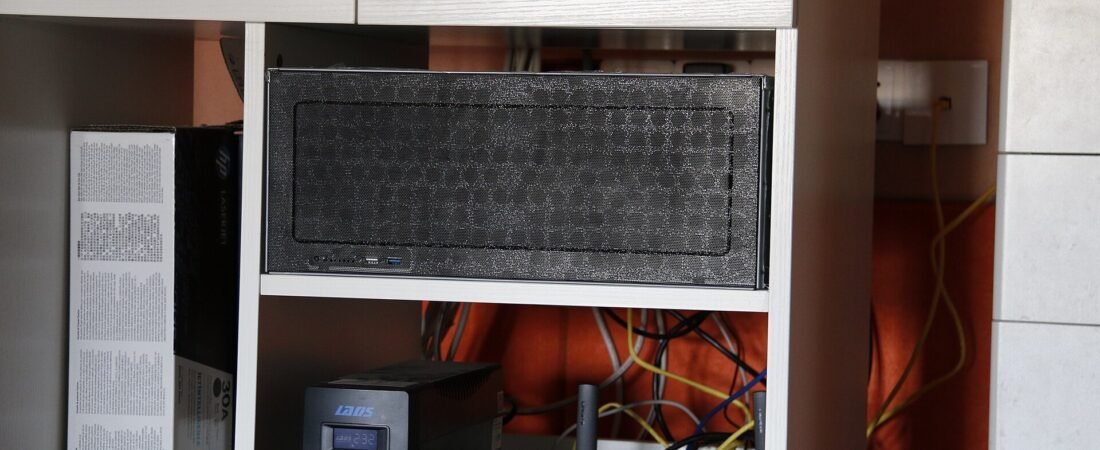
Split the job. Cameras handle events on their own storage — a 256 Gigabyte card holds months of clips, survives network outages, and costs almost nothing. The recorder handles the marathon. A local NAS with enterprise-class drives swallows the continuous streams from wired cameras and keeps every Gigabyte on hardware you own, which is the whole point of a NAS security kit: one purchase, no renewal, no footage on anyone else’s servers.
- Size the archive first: four cameras at 1.3 Terabyte a month each is 5.2 Terabytes for thirty days, and a four-bay NAS with two 8 Terabyte drives in RAID 1 gives you 8 Terabytes usable — that covers it with headroom to spare.
- Match the camera to the power source: battery for events, solar PTZ for hybrid 24/7, wired for full streams.
- Keep the card in every camera anyway — it is your failover when the network drops.
- Put the archive somewhere a thief has to work for it: a NAS in a locked room beats a card clipped to a pole.
- Before you order, confirm with the vendor: bay count, supported RAID level, the write bitrate the recorder sustains, and whether your cameras speak ONVIF or RTSP.
In practice you are trading a monthly fee for a one-time hardware decision, and the hardware decision is what actually protects your footage. When you request a quote, have three numbers ready: camera count, resolution, and how many days of footage you must keep.
Can security cameras do continuous recording without subscription?
Yes. Cameras with a microSD slot or a local recorder input can capture 24/7 with no plan attached — recent reviews of solar PTZ models confirm continuous capture working entirely on local storage. The subscription only returns if you want off-site copies from the vendor’s cloud.
How much storage does continuous recording use per month?
Plan on roughly 1.3 Terabyte per 4MP camera over thirty days at a four Megabit per second bitrate, and scale linearly with camera count and resolution. Event-based recording uses a fraction of that, which is why mode choice matters more than card size.
Do solar cameras support 24/7 continuous recording?
The better solar PTZ models do, in a hybrid form: they record at a low frame rate around the clock and switch to full frame rate on motion, which keeps the draw inside what a panel can replenish. Pure battery cameras cannot sustain this — verify the panel’s daily harvest against the camera’s draw before trusting any continuous mode.
What happens when a continuous recording card fills up?
The camera overwrites the oldest footage by default. That is workable for timelapse-style capture, but it means an incident from two weeks ago may already be gone. Anything you must be able to retrieve later belongs on a recorder you control, not on a cycling card.
Tired of Monthly Storage or Camera Subscription Fees?
Tell us what you pay today per month and we will quote a one-time alternative.
- No monthly subscription
- Local storage you own
- Cost comparison on request
- Business & commercial applications
✓ What we will never do: no subscription lock-in, no footage uploaded to our servers, no selling your data — your recordings stay on hardware you own.