
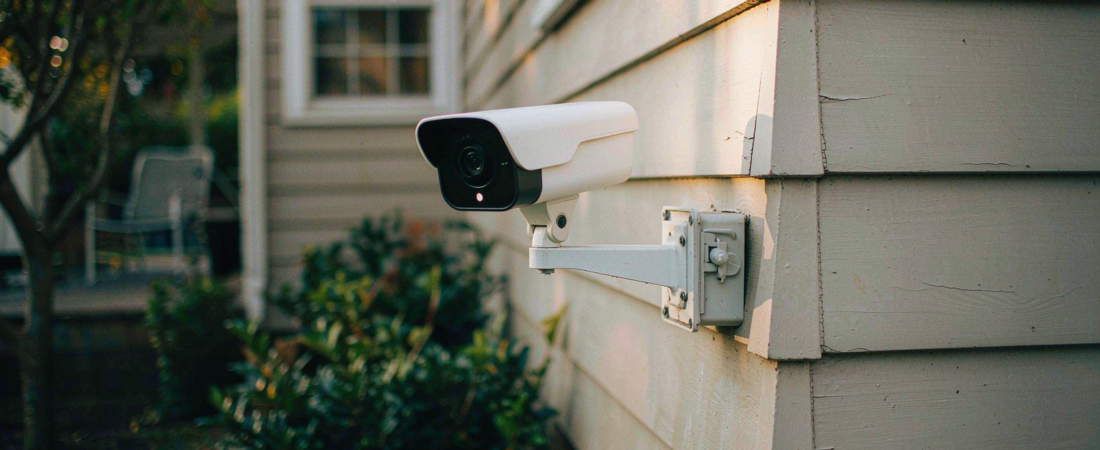
Your camera fires at 2 AM because something moved, not because something mattered. A smart motion detection camera cuts that noise in two steps: a passive infrared sensor confirms real heat movement first, then the chip decides whether that movement is a person, a pet or a tree branch. Buy for both steps, not just the marketing word “smart”.
Key Takeaways
- Two sensors, two jobs. PIR catches heat in motion; the image chip classifies what moved. A camera with only one of the two will either miss events or drown you in them.
- Recording is free; alerting is where fees hide. Several widely sold cameras record locally without a plan but put person and vehicle detection behind a monthly tier.
- Storage sets your history. The same card that holds weeks of 4 MP event clips holds only days at 8 MP continuous, and 256 GB is currently a common ceiling on camera-side cards.
- The wrong alert is expensive. People stop checking notifications in about a week once the false rate is high. A camera you have stopped checking has not protected anything.
- One number to check before buying: how many days of clips the card holds at your resolution, not the card’s capacity in gigabytes.
The Short Answer
Pick a camera where PIR handles the trigger and on-device classification handles the decision, and confirm in writing that person detection does not require a subscription. Then size the card for the days you actually want, since overwriting is silent and permanent.
The working rule I give people: if the alert setting has no “person only” option that runs without a cloud plan, keep looking.
Why This Is Confusing
Two cameras at the same price can behave completely differently, and the specification sheet does not tell you which one you are buying.
One unit has a PIR sensor that trips on any warm body crossing its cone, then sends the clip. The other has a PIR sensor plus a classifier that has to recognise a human shape before the notification goes out. Both say “smart motion detection” on the box. Only one of them stops alerting at midnight because the neighbour’s cat walked past.
Then there is the fee trap. “Free local storage” is a true sentence on several products, and it is also a sentence that says nothing about detection. Recording is local. Deciding what is worth telling you about may not be.
Here is the comparison that matters when you line three approaches up:
| Detection approach | What triggers a clip | Cost to keep alerts | Where it fails |
|---|---|---|---|
| Pixel / image-difference motion | Any change in the frame, including light shifts | Usually free | Headlights, shadows, insects, rain |
| PIR motion detection | Infrared heat crossing the sensor cone | Usually free | Warm weather, distance, glass |
| PIR trigger plus on-device human detection | Heat movement that then classifies as a person | Free when on-device; paid when cloud | Very small targets, heavy occlusion |
What We Looked At
Our specifications and published product documentation, plus three independent October 2026 roundups that list which features run free and which sit behind a paid plan. I have not run a false-alarm count on a test bench, and I am not going to invent one.
The useful thing those roundups agree on is structural rather than numeric: on-device detection is what makes free alerting possible, and cloud detection is what makes subscriptions necessary. The rest is model-by-model detail.
What Does PIR Actually Detect?
Heat in motion. A passive infrared sensor measures infrared energy across its field of view and looks for a rapid change between segments. It emits nothing, which is why battery cameras can run it for months.
Three limits follow. It cannot see through glass. It loses range in hot weather, because the temperature difference between a person and the background shrinks. And it ignores movement straight toward the sensor more than lateral movement, since the segments have to change for the trigger to fire.
Why Do the Alerts Still Come at Night?
Because PIR is a trigger, not a judge. It tells the camera something warm moved. It cannot tell you whether that something was a person, a fox or a car engine cooling in the drive.
That second decision belongs to the classifier, which needs light or near-infrared illumination to see anything. Two things go wrong at night: infrared reflects off rain and dust near the lens as a bright blob that reads as motion, and long-range infrared falls off, so an event at twenty metres arrives as a low-contrast shape the classifier may reject.
Both problems have low-cost fixes. Keep the lens clear of overhanging branches, mount below the rain shadow of the eave, and set the detection zone to exclude the road. None of that requires buying anything.
Related solution
woCyber NAS & Camera Storage
One-time purchase, local storage, no monthly subscription. Talk to us with your requirements and we will size the right configuration.
How Much History Does a 256 GB Card Actually Hold?
Less than the number on the card suggests, and the gap widens as resolution climbs. GB is capacity. Days is retention, and retention is capacity divided by bitrate.
The arithmetic you can do yourself: multiply the bitrate by 86,400 seconds to get one day, then divide the card’s usable capacity by that number. Take a 4 MP stream at an assumed 4 Mbps — a mid-range figure, to be checked against the manufacturer’s stated bitrate — and it consumes close to forty gigabytes per day, so a 256 GB card holds around six days of continuous recording. Drop to event-only clips at a few minutes per day and the same card lasts months.
That is the answer most buyers need, and it is why I ask about recording mode before asking about resolution. Continuous recording is the expensive option, and it is rarely the one people meant to choose.
The surveillance range here, and the NAS Security Kit that pairs cameras with a NAS, both write to local storage. Wired-power models can record continuously; battery models record on trigger. The 4K 8MP PTZ unit is the one where card budgeting matters most, because 8MP footage at continuous bitrates fills 256 GB in days rather than weeks.
Do You Have to Pay Monthly to Get Person Detection?
No, and this is where buyers lose money. Person, pet and vehicle detection can run on the camera’s own chip. When it does, there is no monthly fee to keep it.
Two conditions have to hold. The camera has to have the compute to run the model locally, and the vendor has to choose not to gate the feature. Several well-known brands do the first and not the second, which is why the same hardware tier can be free on one product and paid on another.
Ask the question in the form the seller cannot dodge: after I decline every plan, which detection types still work? A clear answer names them. A vague answer means one.
What Would I Put on My Own House?
A dual-band Wi-Fi PTZ camera under the eave, PIR on, human detection on, cards sized for event clips. One at the front, one at the side gate. I would skip the model with the flashiest app if it charges for person alerts, and I would not buy four cameras on day one. Install one, watch a week of alerts, then decide.
What We Don’t Know
I have not measured false-alert rates across brands or seasons, and published roundups do not share their methodology in enough detail to treat their counts as comparable. Treat any precise false-alarm percentage you read, including ours, as a claim without a denominator.
The substitute is a two-week trial of your own installation, with the detection zone set and the notification log reviewed. That costs nothing and beats every review you will read, this one included.
FAQ
What is smart motion detection on a security camera?
It is a two-stage process: a sensor detects that something moved, and software decides whether that something is worth an alert. The second stage is what separates a smart camera from a motion-triggered one.
Does a smart motion detection camera work without Wi-Fi?
Recording does, as long as the camera has power and a card. Alerts and live view do not, because the notification has to leave the house. Cameras with cellular data sidestep the problem at the cost of a data plan.
How do I stop my camera alerting on cats and cars?
Turn on human-only detection where it is available for free, then set a detection zone that excludes the road and the top of any hedge. Both settings are in the camera, not the subscription.
How many days of recording will a 256 GB card hold?
Roughly six days of continuous 4 MP video at about 4 Mbps, and several weeks or more of event clips. Resolution, bitrate and recording mode set the answer; capacity alone does not.
smart motion detection camera — is it worth paying for AI alerts?
Only when the free tier leaves out the detection you actually rely on. If person detection already runs on the device, the paid tier buys analytics you will rarely open.
Next Step
Write down three numbers before you choose: your resolution, your wanted retention in days, and how many events per night you are willing to review. Send them over and we will match a camera and a card size to those numbers rather than to a bundle discount.
Need Help Choosing the Right Storage Setup?
Looking for NAS storage, surveillance storage or an OEM/ODM partner?
- NAS storage for cameras and files
- Surveillance data storage
- OEM / ODM customization
- Business & commercial applications
A typical cloud plan keeps billing: monthly fees stack up for as long as you keep the cameras.
woCyber records on your own hardware with zero monthly fees — one purchase, no plan, no renewal, no price hikes.
✓ What we will never do: no subscription lock-in, no footage uploaded to our servers, no selling your data — your recordings stay on hardware you own.