
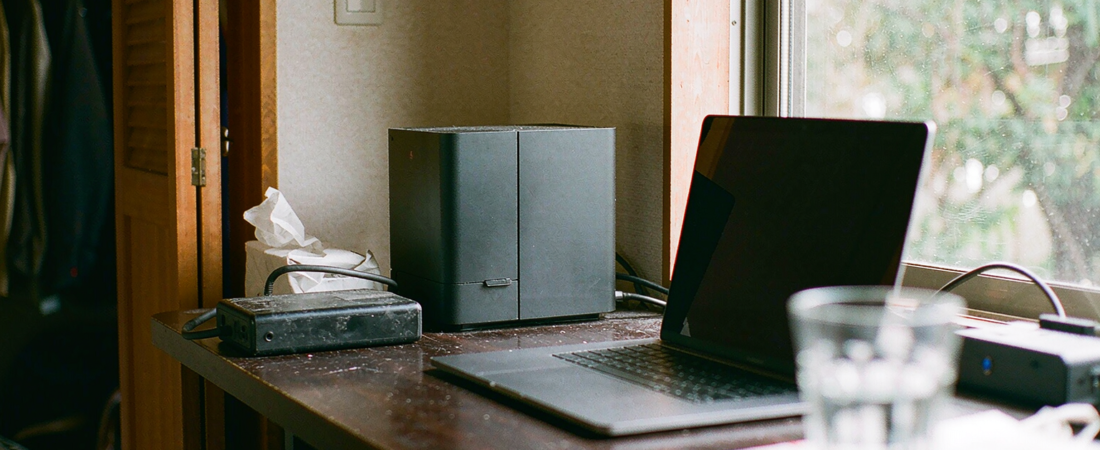
A local AI assistant hub is only as good as the storage underneath it. If the assistant writes to storage you cannot read directly, you have rented an interface and bought a box. Before you compare assistants, check one thing: can you open the drive over your own network and see the files, with no vendor account in the middle? That single test decides whether the hub is a tool or a trap.
Key Takeaways
- The test that matters: a hub that writes to a plain shared folder can be swapped for another hub in an afternoon. A hub that writes to a proprietary internal store cannot be swapped at all.
- A separate recorder bay changes what the box can promise. It means the hub wants to own camera footage as well as files, and that is a different migration problem from moving documents.
- On-device inference needs memory, not magic. Community reports on running photo-recognition models locally show the model revision you pick changes RAM use more than the chip you buy.
- Model churn is now a budget line. When a vendor changes its local model, the assistant’s answers change. Data in an open folder survives that; data in a locked store does not.
- What this costs you in practice: one purchase instead of a monthly tier, one folder structure you control, and a migration path that does not require export tickets.
The Short Answer
Buy the storage layer you can access yourself, and treat the assistant as an application that sits on top of it. Check four things in this order: file access over SMB or mobile apps without a vendor login, a documented model or inference engine you can change, local processing with no forced cloud round-trip, and a backup path that copies files out as files.
Run the checklist as a rule, not a preference. If the hub fails test one, the other three stop mattering.
Why This Is Confusing
Two kinds of product now share the name home AI hub, and they behave differently the moment you try to move a file out.
Ugreen published the HomeAgent specification table for its UK crowdfunding page, and the drive layout is the part worth reading. The entry and mid models split their SATA bays between NAS storage and a bay reserved for camera recording; the top model adds a fourth. The page puts maximum storage in terabytes and lists AI performance in TOPS for the first two and in TFLOPS for the third, so the three figures are not directly comparable (UGREEN HomeAgent product page, accessed 19 October 2026).
Reservations run through a deposit that the page describes as refundable until the campaign ends, with Kickstarter pledging listed for later in 2026 and shipping into 2027. Treat every date there as vendor-stated and unverified until the campaign closes.
In the same window, QNAP began consolidating its separate file, photo and device-management apps into one mobile client, with AI photo recognition processed through the NAS itself. The app is still in beta, so the feature list will move.
The split is now visible. One vendor sells the intelligence as a separate box with its own drive bays. The other sells it as a pane of glass over storage you already own. Both call it local. Only one leaves the files where a laptop can still open them.
What We Looked At
Published coverage, vendor release notes, and our own product specifications. No hands-on testing: I have not held either new device.
- The vendor’s own product page for the HomeAgent drive layout, read for storage behaviour rather than feature counts.
- Our camera specification sheets, which list the recording capacity per model and set how much footage a hub can be handed in the first place.
Method limit, stated plainly: this is a specification and documentation comparison. It tells you what the products are designed to do. It cannot tell you how responsive the assistant feels on a Tuesday evening.
How Do I Know If a Hub Will Lock My Files In?
Three storage behaviours separate the two categories. The first is file visibility. If the assistant writes to a folder your laptop can open over the network, you own the arrangement. If it writes to an opaque internal store, you own the hardware and nothing else.
The second is model replaceability. When the vendor switches the local model, answers change shape. On an open folder that is an inconvenience. On a closed store it is a data-loss event dressed as an upgrade.
The third is exit cost. Ask what happens on the day you want another assistant. Files in an open folder leave in an hour. Everything else leaves when the vendor decides.
| Storage arrangement | Who can open the files | Switch assistant later? | Ongoing fee |
|---|---|---|---|
| All-in-one hub that also exposes SMB | You, over the network, while the hub stays installed | Partly — the folder follows, the hub’s own features do not | Vendor tiers may still apply |
| Hub with proprietary internal store | The hub’s own interface alone | Only through the vendor’s export path | Tied to the vendor |
| Separate NAS plus any assistant | You, plus whichever app you install | Yes — the NAS does not care what reads it | None monthly |
Do the Labels and Face Lists Move With the Files?
Usually not, and this is the part of “lossless” that buyers discover last. The files move; the intelligence about them often does not.
Face libraries, recognition tags, semantic search indexes and thumbnails typically live in a database the assistant owns, not inside the folder. Copy the folder to a new box and the photos arrive with their filenames intact and every label gone. Rebuilding means re-running recognition, which costs hours on a few thousand images and days on a camera archive.
So ask a second question alongside the file question: can the assistant export its index as a readable table? If the answer is a proprietary backup file that only the same product can read, you are migrating files and abandoning knowledge.
Enough RAM, and the honest answer is that the model matters more than the box. Public discussion of running local image recognition keeps circling the same observation: a newer model revision can change memory pressure far more than a faster chip does. I am reporting that as a widely repeated claim, not as a measurement.
That has a purchasing consequence. Buying a bigger box to compensate for an inefficient model is paying twice — once for the hardware, once for the electricity, every month. Buy for the workload you can describe, not the workload a landing page implies.
For a household assistant that answers questions about files and recognises people and objects in footage, the constraint is rarely raw compute. It is whether the storage can supply files fast enough and stay quiet while doing it. Our NAS line is built around that second job rather than around benchmark scores.
What Does This Look Like With Cameras Attached?
Our cameras record to onboard storage up to 256 GB depending on model, and clip length and resolution decide how far that goes.
Resolution up, retention down. On a 4K 8MP PTZ model, a 256 GB card fills faster than on a 4MP unit, and no assistant changes that.
Worked example for a four-camera house. Four 4 MP streams at roughly 4 Mbps each come to about 16 Mbps, or two megabytes a second, which is a little over 170 GB per day. A 1 TB volume — counted as usable capacity on a single drive, before RAID or filesystem overhead — therefore holds about six days of continuous recording, and a 96 TB maximum holds well over a year. Drop to event clips and the same volume lasts months. The arithmetic belongs to the bays, not to the assistant.
Which is the argument for treating the hub and the recorder as one decision. An assistant that can read a shared folder on a NAS sees every clip and keeps working when the card overwrites. An assistant locked to its own store sees only what it was allowed to ingest.
Here is the loss to avoid: buying a hub first, filling it with a year of footage, then discovering you cannot move that footage to a bigger box without exporting it device by device. Two evenings of work become two months of migration.
Related solution
woCyber AI NAS
Photo tagging, semantic search and a local LLM run on the box itself — no monthly AI fee, no data leaving your network.
Does Local Processing Mean Nothing Leaves the House?
Not by itself. Three configurations are common: model and data both on your hardware, inference local with the vendor taking telemetry or model updates, and cloud inference behind a local cache. Only the first keeps working with the internet unplugged, and only the first keeps the vendor out of the loop entirely. Ask which one the product is, in writing.
Is Cloud AI the Opposite of Private?
No. Privacy follows where the data sits and who can reach it, not where the model runs. A hosted model under a strict processing agreement can be tidier than a local model that copies your folder to a consumer drive every night.
What Would I Actually Buy?
I would buy the storage separately and let the assistant be a guest on it. From our own range, the X4 enterprise class and the A3 lightweight terminal bracket the two cases: a rack of drives for a household that records continuously, a small quiet box for one that mostly stores documents. Because the assistant market moves faster than the storage market, and I do not want my archive to be the thing that gets deprecated.
Concretely: a box with a shared folder, a drive budget that survives overwriting, and an assistant installed as an app. Compare the three-year figure as purchase plus electricity against a tier multiplied by thirty-six, and the tier usually loses. If the assistant disappoints in two years, it gets replaced. The files do not move.
Skip the all-in-one hub if your sole way in is the vendor’s app, the storage cannot be browsed from a laptop, or the price depends on a tier that can be redefined after you buy. A tier is a permission, not a product.
The counterintuitive part: the assistant is the least durable component in the stack and the most heavily marketed. Storage outlives it.
What We Don’t Know
I have not measured either new hub’s response latency, power draw or noise, and I will not quote numbers for things I have not held. I also do not know how either vendor’s export path behaves at scale — every export works on a test folder and disappoints on four terabytes.
The rule that replaces the missing data: assume export is slower than the marketing implies and price the migration risk in. If a product only makes sense when export is effortless, it does not make sense yet.
FAQ
Is a local AI assistant hub the same thing as a NAS?
No. A NAS is storage you reach over a network. A hub adds an assistant that answers questions or acts on the files. Some hubs include storage, some do not, and the ones that do may hide it behind their own interface.
Can a local AI assistant hub work without internet?
Only if the model runs on the device. Hubs that route inference to a cloud service stop answering when the connection drops, even if the files are sitting on a local drive.
How much storage does a local AI assistant hub need?
Base the size on what you are storing, not on the assistant. A year of camera clips at 4MP from several cameras will consume more space than any photo library, and the retention you want sets the number.
Can I move my files to a different assistant later?
Yes, if the files live in a shared folder the new assistant can mount. Export a folder over SMB once and any successor reads it; export a proprietary store and you inherit whatever tool the vendor ships.
Will my local AI assistant hub keep working if the vendor changes its model?
It keeps running, but its answers will change. Whether that matters depends on where the data lives: an open folder survives a model swap, a proprietary store usually does not.
Which storage setting should I check first on a local AI assistant hub?
The one you can mount from a laptop without installing the vendor’s app. If that works, the rest of the hub is replaceable. If it does not, none of the other features are yours to keep.
Next Step
Write down the four checks — open folder, replaceable model, stated processing location, file-level backup — and ask each vendor to confirm them before you compare price. The ones that answer all four in one paragraph are the ones worth a second conversation.
If you are pairing a hub with cameras, tell us the camera models, the resolution you record at and how many days you want to keep. We will size the storage against those numbers rather than against a specification sheet.
Need an AI NAS Solution for Your Business?
Looking for a NAS you can run local AI tools against — without your files leaving the network?
- Local AI and file-serving on one box
- Storage sized for documents and recordings
- VPN-friendly remote access
- Business & commercial applications
A typical cloud plan keeps billing: monthly fees stack up for as long as you keep the cameras.
woCyber records on your own hardware with zero monthly fees — one purchase, no plan, no renewal.
✓ What we will never do: no subscription lock-in, no footage uploaded to our servers, no selling your data — your recordings stay on hardware you own.