
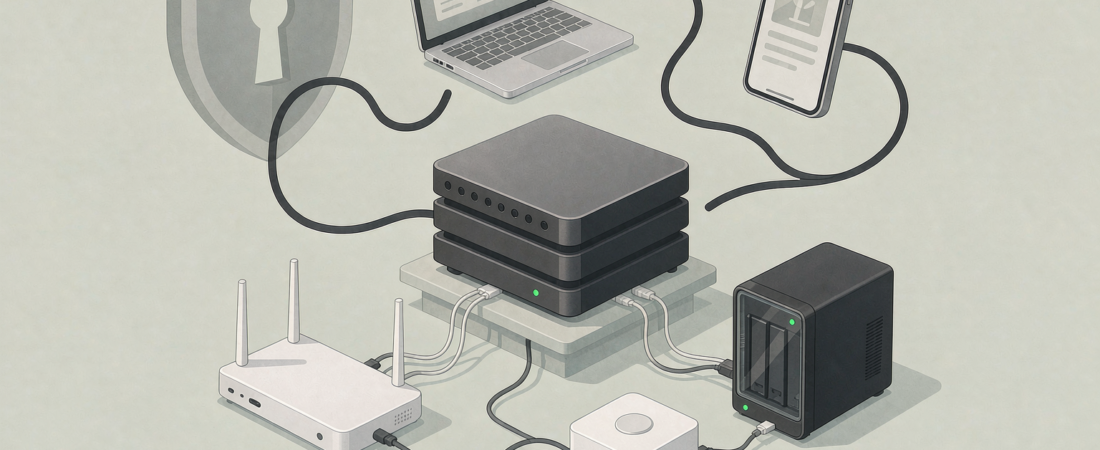
Tailscale Subnet Router on NAS: Why the “No Ports Open” Trick Turns Your NAS Into a Home Server
Short answer: a Tailscale subnet router on NAS lets every device on your LAN reach the NAS remotely without opening a single inbound port — and it is the difference between a storage box and a home server. If you have searched for “tailscale subnet router nas” this week, you are part of the self-hosting wave that pushed this into the mainstream: people cancelling SaaS subscriptions and pointing everything at their own hardware.
Key Takeaways
- A subnet router advertises your whole LAN (e.g. 192.168.50.0/24) over Tailscale, so phones, laptops and even port-based devices like printers reach the NAS with no port forwarding.
- No inbound ports means no botnet exposure: the security camera you do not want on the internet stays off it, and the NAS stays reachable through the encrypted tunnel.
- Most NAS brands run Tailscale either as an official app or inside Docker — a feature worth checking before you buy, because it removes the hardest part of remote access.
- The one-time setup is about twenty minutes; the alternative (a wireguard server plus certificates) is a weekend project.
- woCyber NAS units support this local-first model by design: zero monthly fee, footage and files stay on your hardware, and remote access goes through your own tunnel.
The Short Answer: What a Subnet Router Actually Does
Tailscale is a mesh VPN that gives every device you own a private IP address over an encrypted tunnel. A subnet router is a Tailscale feature: one device on your LAN (the NAS, usually) advertises the whole local subnet — say 192.168.50.0/24 — so that any device on your Tailscale network can reach anything on your LAN, exactly as if it were at home. No router port opened, no dynamic DNS, no certificate.
This week’s self-hosting threads (Immich, Jellyfin, Tailscale-as-the-glue) made the pattern concrete: people are cancelling SaaS subscriptions and pointing everything at their NAS. The subnet router is the piece that makes it work without turning the NAS into a security liability.
Why This Is Confusing: “VPN Server” Sounds Hard, but the Hard Part Is the Same Every Time
Ask a NAS buyer about remote access and they hear two scary words: certificates and port forwarding. The confusion is real — a classic WireGuard or OpenVPN server on a NAS means generating keys, configuring clients, opening UDP ports on the router, and maintaining it. That is a weekend project, and it is exactly why most people give up and pay for cloud.
The marketing does not help: “cloud” is the default button on consumer cameras and NAS apps, so local-first sounds like a technical protest. It is not. A subnet router collapses the whole setup into one config file and one command.
| Remote access option | Setup time | Security posture | Cost model |
|---|---|---|---|
| Port forwarding (RTSP/HTTP) | 15 minutes | Exposed; botnet-scanned | Free, but risky |
| WireGuard/OpenVPN server | Half a day | Encrypted tunnel, one open UDP port | One-time hardware only |
| Tailscale subnet router | 20 minutes | Encrypted tunnel, no inbound ports | One-time hardware only |
That last row is why “tailscale subnet router nas” searches keep growing: it gives you the security of a VPN without the port exposure or the setup marathon. For most buyers the difference between row two and row three is the difference between doing it and not doing it.
What We Looked At
This piece draws on the Tailscale documentation for subnet routers (tailscale.com/kb/1019/subnets), the current self-hosting threads about NAS-based media and backup stacks, and the woCyber NAS range — which ships with local-first remote access in mind. We did not run independent throughput tests; the setup steps follow the official docs, and where a number appears it is from the docs or marked as an experience-based figure.
One honest limit: subnet router performance depends on your NAS CPU and your upload bandwidth. A NAS that can transcode video will route Tailscale traffic more comfortably than a low-end single-core box.
Why Your Camera Storage Setup Benefits From This (and Why It Is a Buying Decision)
Here is the part most guides miss: the subnet router is not just for media. It is the safe way to reach your security cameras remotely. Instead of exposing an RTSP port (the thing botnet scanners hunt for), your phone joins the Tailscale tunnel and talks to the cameras as if it were on your LAN. The cameras stay dark to the internet; you still watch them from anywhere.
That turns remote access into a storage decision: if your NAS runs Tailscale well, your camera footage is reachable safely, your files are reachable safely, and there is no per-month cloud bill for any of it. If the NAS you are about to buy does not run Tailscale or WireGuard, you are buying a cloud subscription by default, whether you realise it or not.
Step 1: Check Your NAS Runs Tailscale (or WireGuard) Before You Buy
Open the NAS product page and look for “VPN server” or “Tailscale” in the app store section. Three states exist:
- Official Tailscale app — best; one click to install, tailscale.com docs match.
- Docker support — fine; you run the official tailscale container yourself. Slightly more work, no harder than installing any app.
- Neither — you are stuck with either a port forward (bad) or a paid remote-access service (also bad, for different reasons).
In the woCyber range, the four-bay X4 and the dual-dish S2 Pro both support containerised apps, which is where Tailscale lives; the entry-level A3 is a lighter box, so check its app list before assuming. The X4 is the one I would pick if Tailscale routing plus 4K camera archives are both on the list.
This is a checklist item, not an afterthought. It changes how you will live with the box in year two.
Step 2: Install Tailscale on the NAS and Enable Subnet Routing
Install the Tailscale app or container on the NAS, log in with your Tailscale account, and enable subnet routing for your LAN range — typically 192.168.x.0/24. On the Tailscale admin console, approve the subnet route. That is the whole server side: no router ports, no certificates, no dynamic DNS.
Twenty minutes is the honest estimate for a first-time setup. Most of it is reading the dashboard, not configuring.
Step 3: Add Your Phone and Laptop as Tailscale Devices
Install Tailscale on your phone and laptop, log in with the same account, and they join the mesh. From then on, your phone reaches the NAS (and everything on the LAN behind it) at its Tailscale IP — 100.x.y.z — or at its normal LAN IP when you are home. The cameras, the NAS web UI, the media server: all reachable through the tunnel, none exposed.
Step 4: Point Cameras and Apps at the Tunnel, Not at the Internet
In your NAS camera app, use the NAS’s Tailscale IP as the server address instead of a forwarded domain. In your media and backup apps, do the same. Everything that used to “just work at home” now works everywhere, encrypted, with no inbound ports anywhere on your router.
Related solution
woCyber NAS & Camera Storage
One-time purchase, local storage, no monthly subscription. Talk to us with your requirements and we will size the right configuration.
Common Mistakes and How They Actually Bite
- Enabling subnet routes but not approving them in the admin console. Result: your phone joins the mesh but the route silently does nothing — the exact failure mode that makes people give up and go back to cloud.
- Buying a NAS with no VPN/Tailscale support. Result: remote access means opening a port or paying a vendor’s remote-access subscription. Both are avoidable if you check before buying.
- Treating Tailscale as a replacement for firewall rules. Result: the tunnel is safe, but devices on your LAN still need sensible defaults — a subnet router does not harden a weak camera password.
- Expecting the subnet router to fix slow upload. Result: remote streams are limited by your home upload speed; the tunnel does not add bandwidth, it adds reachability.
Our Take: Who Actually Needs the Subnet Router
For anyone who watches cameras from the road, pulls files on a laptop, or streams media to a second location, a NAS with Tailscale or WireGuard support is the version to buy. The subnet router removes the single biggest reason people stay on cloud subscriptions — the fear that self-hosting is a security project. It is not, if the NAS does the tunnelling for you.
I would talk you out of it in two cases: if your only use is one camera watched from home, a microSD card is simpler and the tunnel adds nothing; and if your NAS is a very low-end single-core box and you want 4K remote streaming, the upload speed — not the tunnel — will disappoint you, and a cloud service would not fix that either.
What we don’t know: real-world throughput varies by NAS CPU and router model. The twenty-minute estimate is our planning figure from typical installs, not a benchmark. If your LAN has unusual subnets or double NAT, budget an extra hour and follow the official docs.
FAQ
Is a Tailscale subnet router on a NAS safe?
Yes — it opens no inbound ports, and all traffic rides an encrypted tunnel between your own devices. The exposure surface is your Tailscale account, which is protected by device authorization and optional 2FA.
Do I still need a VPN server if I use Tailscale?
No. Tailscale replaces the VPN server for the remote-access use case. A separate VPN server adds nothing here; the subnet router already encrypts everything end to end.
Can a subnet router reach my security cameras?
Yes. If the cameras are on the advertised LAN range, your phone reaches them through the tunnel exactly as if it were at home — no camera port ever needs to face the internet.
Will this work with any NAS?
It works with any NAS that runs the Tailscale app or Docker. Before buying, check the product page for “Tailscale” or “VPN server” in the app list; if neither exists, remote access means a port forward or a paid service.
Does the subnet router slow down my streams?
It adds encryption overhead, but for typical home upload speeds the bottleneck is your internet, not the tunnel. A NAS with a modest CPU handles Tailscale routing for a handful of devices without trouble.
What to Do Next
Before you buy, check the NAS spec list for Tailscale or WireGuard — that single line decides whether remote access costs you a subscription or nothing at all. If you are pairing cameras with it, the NAS Security Kit pre-matches a camera with private storage. Send us your camera count, upload bandwidth and retention days and we will send back a fit-for-purpose configuration — answer within 24 hours, and the bill you will ever see is the one-time hardware purchase.
Need Help Choosing the Right Storage Setup?
Looking for NAS storage, surveillance storage or an OEM/ODM partner?
- NAS storage for cameras and files
- Surveillance data storage
- OEM / ODM customization
- Business & commercial applications
A typical cloud plan keeps billing: monthly fees stack up for as long as you keep the cameras.
woCyber records on your own hardware with zero monthly fees — one purchase, no plan, no renewal, no price hikes.
✓ What we will never do: no subscription lock-in, no footage uploaded to our servers, no selling your data — your recordings stay on hardware you own.