
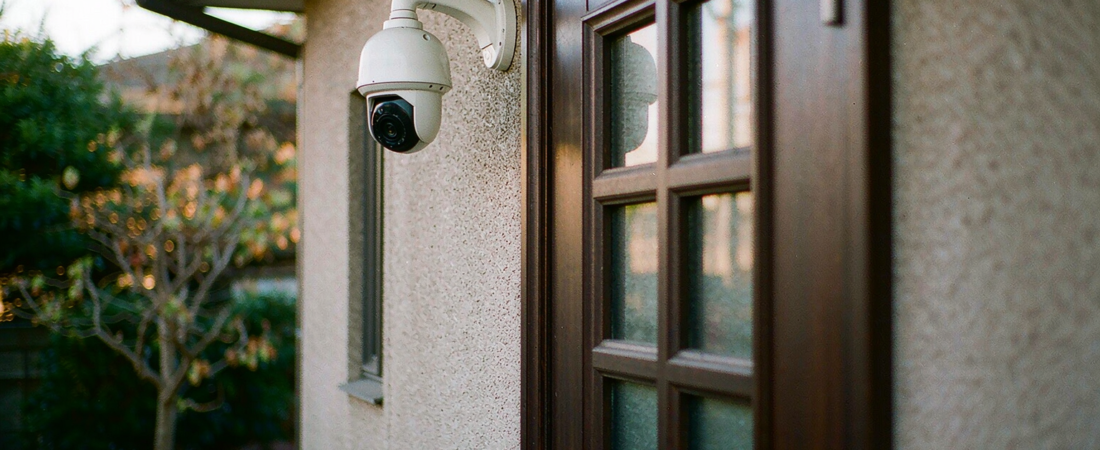
Test a camera by its release notes, not its feature list. If the maker publishes a dated firmware build when a researcher reports a flaw, the camera stays maintainable. If the last build note is a year old, treat the camera as a fixed risk sitting on your network.
Three flaws in a widely stocked 2K outdoor model were published on 8 and 9 October 2026, in this order: an unauthenticated API authorisation bypass scoring 8.7 on CVSS v4, a streaming denial-of-service scoring 7.1, and a predictable stream key scoring 8.7, according to the CVE record for CVE-2026-105672. The fixed release is firmware build V2_1.3.3 Build 260914 — which is exactly what a security camera firmware update delivers: a new software image, applied to hardware you already own.
Notice what is missing from that sentence: the word cloud. Every one of the three is an adjacent-network attack, meaning the attacker needs a device or a foothold on the network the camera already trusts. That is why a security camera firmware update is only half of the job.
Key Takeaways
- Three CVEs — CVE-2026-105672, CVE-2026-105673 and CVE-2026-105674 — were disclosed on 8 and 9 October 2026 for a single 2K outdoor camera model, with CVSS v4 scores of 8.7, 7.1 and 8.7 (CVE record).
- All three are adjacent-network attacks. Distance is not the barrier; a shared network is.
- The remediation is a firmware build, V2_1.3.3 Build 260914, and it is not bundled into a paid tier or app plan.
- Patching protects the camera. It does nothing about where the recordings already are, which is the part most buyers leave undecided.
- A camera whose maker has published no dated builds for twelve months fails the test a buyer can run before purchase.
The Short Answer: What Should a Security Camera Firmware Update Do?
A security camera firmware update should close the exact flaw that was reported, and it should arrive with a version number you can compare against your own device. Those are the two things an outsider can verify, and both live in the vendor’s release notes rather than in the box.
A camera firmware update is the replaceable software image that runs the camera’s network services — its local API, its video stream, its login.
So the test before you buy has three parts. Is there a public advisory page? Are the builds dated? Can you install them without a paid plan? Ask those three questions about any model you are considering, and the vendor’s answer will tell you more than a resolution figure.
Then Why Do the Same Flaws Keep Coming Back?
Because the exposed surface moved inward. A decade ago the fear was a camera dialling out to the internet and being found by a scanner. The October set is the opposite shape: the camera behaved on the outside, and the weaknesses were in the local HTTPS JSON API on TCP port 443 and the local RTSP service on TCP port 554.
Read the second flaw carefully. It needs the camera account feature switched on, and a crafted pair of RTSP-over-HTTP tunnelling requests crashes the streaming daemon.
The third is quieter and, to my mind, worse. The pre-shared key for the local media stream was generated with a time-seeded pseudo-random number generator, which per the advisory makes that key predictable and recoverable by an unauthenticated attacker on the adjacent network. Guessable keys do not care whether you pay a monthly fee.
What Did We Look At, and What Could We Not Check?
Three primary sources, read against each other.
- The vendor’s public advisory for the affected camera — the affected version range and the fixed build number.
- The CVE record — CVSS vectors, and an EPSS score below one percent, which tells you exploitation in the wild is not yet the headline risk.
- An operational-technology security digest published on 10 October 2026 — independent confirmation of the same three CVEs.
What we could not check: we did not test these cameras, we do not own the affected model, and no lab result sits behind this article. We also cannot tell you how long any maker will keep writing builds for a camera you buy today — almost nobody in this price band publishes an end-of-support date. Rather than pad that gap with a number, we are naming it.
So Where Should the Recordings Live?
This is the decision buyers skip. A patch protects the camera; it changes nothing about footage that already left your building. Storage choice is what decides how much a bad day costs.
| Where recordings sit | Who can reach them | Cost shape | Where it breaks |
|---|---|---|---|
| Card inside the camera | Anyone who walks off with the camera | One-off card purchase | The camera is the single point of failure |
| NAS or recorder on your network | You, and whoever holds the admin password | One-off hardware | You now own uptime, disk health and backups |
| Vendor cloud plan | The vendor, its contractors and its next breach | Monthly, for as long as you keep the camera | Price changes, plan retirement, export limits |
No column is free. Local storage moves the money from a monthly line to a one-time purchase, and moves the risk from somebody else’s server to your own maintenance. That is the trade, and it is the one we build for: our NAS line — X4 four-bay, S2, A3 — ships as hardware you hold, and the NAS Security Kit wires the recorder to your cameras without a cloud account in the middle.
An honest boundary, because the table hides one: a recorder earns its place from roughly three cameras upward. If you run a single indoor camera, a card inside the camera is the cheaper and perfectly defensible answer, and buying a NAS for it is spending you will not recover. That three-camera threshold is our rule of thumb, not a published figure.
Related solution
woCyber NAS + Camera Kit
Cameras write straight to local storage — no per-camera cloud plan, no footage leaving your property.
How Do You Check and Patch a Camera in Ten Minutes?
- Read your current build. Open the camera in its app, go to device settings, and copy the full firmware string. Write it down rather than memorising it; the suffix matters.
- Compare against the advisory, not against the app’s “latest” badge. Version prefixes are not always ordered the way you expect, so read the affected range the vendor published.
- Update over a stable link. A camera on weak Wi-Fi that loses power or signal mid-flash is the one realistic way to brick it. Do it on the local network where you can.
- Fix what the patch did not. Default admin passwords, an open test port and a forgotten guest account all survive every firmware upgrade.
- Take the cameras off your main network. An adjacent-network attack needs a foothold. A separate SSID with client isolation, or a dedicated VLAN, removes it.
- Set a quarterly reminder.
Where Do People Get This Wrong?
- Trusting auto-update without checking it runs. Some models only look for a build while the app is open, so a camera in a loft can sit six versions behind. The consequence is not a warning message; it is silence.
- Reading the CVSS score and stopping there. An 8.7 that needs local network access is a different project from an 8.7 that anyone can reach from the internet. Fixing the wrong one wastes the budget.
- Patching the camera and ignoring the recorder. The recorder holds the footage, often with a default password and a web interface on the same network.
Our Take: Patch It First, Then Take the Cloud Out of the Loop
I would buy a camera on its patch record before its sensor. Resolution is a spec-sheet number; a dated release note is evidence of behaviour, and behaviour protects a site in year three.
Here is the counterintuitive part, and it cuts against our own pitch. “No cloud” is not a security feature by itself. Nothing in the October set touched anyone’s cloud — the flaws sat in the camera’s local API and local stream. Local storage removes one class of risk, the third party holding your footage and your billing, and adds another: your disks, your uptime, your backup discipline. Anyone who tells you local means safe is skipping the second half of the sentence.
For a small shop with eight cameras, I would spend the money in this order: cameras that still get builds, a recorder with a spare bay, an isolated camera network, and only then more resolution. If a model’s last firmware note is more than a year old and there is no advisory page, I would not take it at any discount. You cannot patch what nobody maintains.
What We Don’t Know
We do not know how long the affected maker will keep shipping builds, and we cannot verify a support window for most models in this price band because it is rarely stated. As a planning rule, assume three years of firmware support from the purchase date and carry the replacement cost from day one. That three-year figure is our rule of thumb, not a published figure, so treat it as a starting assumption and adjust it with any written support commitment you can get from the seller before you order. A refusal to put a support window in writing is itself an answer.
Frequently Asked Questions
Does a security camera firmware update require a subscription?
Not in this case. The fixed build in the October advisory is distributed through the vendor’s normal firmware download path, with no paid tier involved. Paid plans in this market usually cover cloud recording and longer history, which is a separate line item from patching. Before you buy, ask what happens to firmware access if you stop paying.
How do I find the firmware version of my security camera?
Open the camera in its app, go to device settings or device information, and read the firmware field. Many models also expose the same string on the local web interface. Copy the whole build string, because the version prefix alone often is not enough to compare against an advisory.
Is local storage safer than a cloud plan?
It is different, not automatically safer. Local storage removes third-party access and monthly fees, and it makes you responsible for disk health and backups. The October flaws are the clearest illustration: they were reachable from the local network, so the network layout and the patch routine decided the outcome, not the storage choice.
What if the vendor stops publishing firmware?
Then the camera becomes fixed hardware, and your options narrow to three. Isolate it on a separate SSID or VLAN so an unpatched flaw cannot reach anything valuable. Plan the replacement and carry it in the budget rather than discovering it mid-year. Third-party firmware is a specialist path, not a plan: it covers a narrow set of models and voids most warranties.
How often should I check for a security camera firmware update?
Quarterly is a workable minimum, plus immediately after any advisory that names your model. If the vendor runs a security advisory page, subscribe to it. If no advisory page exists, that absence belongs in your evaluation.
Need Storage for Your Camera System?
Whether you are adding cameras or replacing a cloud plan, tell us the setup and we will match the storage.
- Local storage for IP cameras
- Replace cloud camera plans
- NAS + camera bundles
- Business & commercial applications
A typical cloud plan keeps billing: monthly fees stack up for as long as you keep the cameras.
woCyber records on your own hardware with zero monthly fees — one purchase, no plan, no renewal, and no subscription price increases.
✓ What we will never do: no subscription lock-in, no footage uploaded to our servers, no selling your data — your recordings stay on hardware you own.
Next step: if you are specifying cameras and storage for one site, send the camera count, the retention you need in days, and whether the site has mains power and Wi-Fi. We get back to you inside one business day with a configuration you can price as a single purchase with no recurring plan attached.