
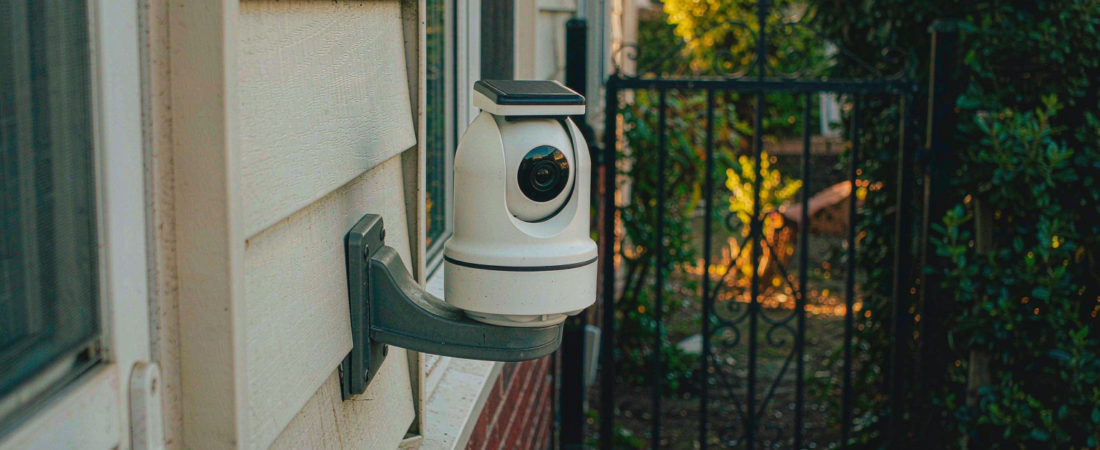
A bulb security camera is a camera built into a lamp housing, so it takes its power from a socket that already exists. That single design choice decides everything else about it. You skip the drill, the cable and the electrician. You also inherit the lamp’s position, the lamp’s height and whoever controls the wall switch.
That trade is worth stating plainly, because it is where most buyers get disappointed. The X1A is our own version of the format — a 5MP bulb telescopic PTZ camera — and the honest answer to “is a bulb camera right for me” is that it depends almost entirely on one thing: whether the socket sits where you need to look.
So check the socket before you check the specs. Three questions about the fixture eliminate more bad fits than any comparison table.
Key Takeaways
- Placement beats specification. A 5MP camera pointed at a wall loses to a 3MP camera pointed at the gate.
- Constant power is the real advantage. A socket-fed camera does not ration battery, so continuous recording is a setting rather than a compromise.
- The wall switch is the hidden failure point. If the socket is switched, anyone can turn your camera off by habit.
- Two hardware facts to weigh: a 30 mm telescopic lens on the X1A draws the frame in rather than spreading it wide, and storage tops out at a 256 GB card unless you route footage to a NAS.
The Short Answer: Which Socket Should a Bulb Camera Go In?
Pick a socket that is unswitched, higher than head height, and aimed at the thing you want recorded. If your best-lit socket faces a blank wall, no camera of this type will fix that — and the fix is a different mount, not a bigger sensor.
Everything a bulb camera does well follows from sitting in a fixture. It gets mains power without an electrician. It hangs where a light already hangs, which for a porch, a garage door or a back gate is often exactly the sightline you wanted. And it is unremarkable to look at, which matters when neighbours or a landlord are part of the decision.
Everything it does badly follows from the same fact. The fixture was chosen for light, not for surveillance. Its height, its angle and its distance from the point of interest are all fixed by somebody who was thinking about illumination.
Why Does the Wall Switch Decide Your Camera’s Future?
Because a camera that loses power is not a camera. This is the failure nobody mentions in the spec sheet, and it costs nothing to avoid.
Walk the circuit before you buy. If the socket is fed from a switch that a visitor, a cleaner or a family member flips out of habit, your 24/7 coverage has an off button in the hallway. It will look like an intermittent fault when it happens, which is the worst kind of fault to debug.
Three fixes, in order of preference:
- Choose a permanent-live socket — a soffit, an attic light or an exterior fixture that nobody switches.
- Cover the switch if the circuit has one you cannot give up, so it takes a deliberate act to cut power.
- Keep a second camera on a different circuit. Any single point of failure is a single point of failure, however neat the first camera looks.
There is a second-order version of the same problem: a socket that is live but poorly placed means you angle the camera with a telescopic lens to compensate. Zoomed in, your field of view shrinks. On a 30 mm lens that is a real limit, not a footnote.
What Did We Look At?
Our own product documentation for the X1A, read as a buyer would read it: resolution, lens, networking, storage ceiling, detection features and the two variants the camera ships in. Plus the placement question above, which comes from how these units behave in the field rather than from a data sheet.
There is no bench test here and no measured comparison against other cameras, because we did not run one and we would not publish a number we cannot reproduce. What we can tell you is what the hardware is and where the format stops working. That is enough to make the buy-or-skip call.
Which Specifications Actually Change Your Result?
Four of them. The rest are worth having but rarely decide whether the camera works for you.
| Spec | What it changes | What it does not |
|---|---|---|
| 5MP resolution | How much detail survives when you zoom into a recording | How much of the scene fits in frame |
| 30 mm telescopic lens | Reach — useful for a gate at the end of a path | Coverage — it narrows what is in view |
| 2.4 GHz and 5 GHz dual-band | Which access point it can join, and how stable that link is | Anything at all if the socket is too far from your router |
| 256 GB card storage | How many days of clips stay on the device | Whether that footage still exists if the camera is removed |
The last row is the one buyers misjudge. A card inside the camera is convenient and it is also inside the thing a thief would take. That does not make it wrong — it makes it incomplete.
Related solution
woCyber PTZ & Tracking Cameras
Dual-band Wi-Fi, auto tracking and no monthly subscription. Local storage on the camera or on a NAS you own.
How Do You Install One Without Losing the Light?
The install is short. The decisions around it are the part that takes thought.
- Kill the circuit at the breaker, then test the socket. Screw-in fittings are simple, and simple is exactly why people skip this step.
- Note the socket orientation. A ceiling fixture points down; a wall sconce points sideways. Work out where the frame lands before the camera goes in.
- Choose the variant on lens reach, not looks. The X1A ships in a standard-light version and a stretchable one; the longer reach is for a target further from the wall, and it narrows the view.
- Join the 5 GHz band if the socket is close to the router, and the 2.4 GHz band if it is not. Distance decides this, not preference.
- Fit the card before you close the housing and let the camera format it. Formatting after the fact is a classic ten-minute mistake.
- Point it at a doorway, not at the space. A narrow lens on a fixed mount is a tool for watching one thing properly.
- Decide where the second copy goes. Leave the card as the buffer and send the important footage to a NAS you control, rather than leaving it inside the device somebody could carry away.
Step seven is the one that turns an inexpensive camera into a useful one. Local storage with no subscription is worth nothing if the recording lives only in the object a burglar reaches for first — routing footage to the NAS keeps the recording even when the camera does not. That is what the NAS Security Kit is for: the camera is the replaceable part, the archive is not.
Where Does a Bulb Camera Fall Short?
Three places, and all three are placement problems wearing a technology costume.
It cannot see what the light cannot see. Fixtures are installed to illuminate doors, paths and porches — good news, mostly, since those are also the places people walk. But a socket above a driveway lamp will watch the driveway, and no amount of auto tracking will make it watch the side gate.
Auto tracking is a feature, not a pan-tilt operator. Motion tracking follows what it is pointed at within its range. It will not spin around to a corner the mount does not cover.
A single point of loss stays a single point of loss. Card storage is on-device storage. If the camera leaves, the footage leaves. Assume the camera is replaceable and the recording is not.
When Should You Choose a Different Camera?
Pick something else in four situations:
- Your best sightline has no socket. Bring power to the camera, not the camera to the light.
- You need to cover a wide area in one frame. A wide-angle outdoor PTZ such as the F10B belongs on that job.
- The socket is indoors where traffic is constant. An indoor camera with a battery gets you off the switch circuit entirely.
- You are recording legally sensitive space. A camera in a lamp socket is still a camera; the format changes nothing about where you may point it.
None of that is a knock on the format. It is the boundary line. Bulb cameras solve a specific problem — power and mounting where you already have a fixture — and they solve it better than anything else does.
Our Take: Excellent Answer, Narrow Question
I would put a bulb camera on a porch or a garage soffit and expect it to earn its place. I would not buy one as the sole camera on a property, and I would not buy one for a socket somebody switches off every night.
The counter-intuitive judgement: a bulb camera is at its best where the light is worst. Soffits and service doors are usually poorly lit, oddly angled and difficult to reach with a ladder — the three conditions that make a screw-in camera with constant power the cheapest sensible answer. Meanwhile a tidy front porch, the place buyers instinctively imagine, is usually the spot where a conventional camera was always going to be easier.
If it were my money, the order would be: fix the placement question, then fix the storage question, then worry about megapixels. A 5MP clip you cannot retrieve is worth less than a lower-resolution one you can.
What We Don’t Know
We cannot tell you how many days of footage a 256 GB card holds in your specific setup, because the answer moves with resolution, frame rate, how much motion your scene sees and whether the camera is recording continuously or on events. Rather than guess, use a substitution: start on event recording, check the card’s consumed space after a week, and multiply. That tells you your own retention window instead of somebody else’s. If a week overflows the card, the answer is not a smaller setting — it is off-device storage.
Frequently Asked Questions
Does a bulb security camera need a subscription?
No. The format is built around local storage: a memory card inside the camera, or footage sent to a NAS you own. Subscription plans exist on some competitor products, not on the hardware requirement itself.
Can a bulb security camera record continuously?
Yes, and it is one of the format’s real advantages. Because mains power comes from the socket rather than a battery, the camera is not rationing energy, so continuous recording is a setting rather than a compromise.
Will a bulb security camera work without Wi-Fi?
No. It needs a network to reach your phone, and the X1A joins either 2.4 GHz or 5 GHz. If your site has no network at all, the right tool is a cellular camera rather than a bulb camera.
Can I use a bulb security camera outdoors?
Only in a protected fixture, and only if the unit is specified for it. Check the enclosure and the rating before buying — an outdoor socket with no cover is not the same environment as a porch light under a roof.
If you have a socket in mind and want to know whether it is the right one, tell us where it sits and what you want covered, and we will say so — including when the answer is a different camera. Start with the surveillance camera range or send us the fixture photo and the sightline.
Need Help Choosing the Right Camera?
PTZ, bulb and solar cameras with local storage and no monthly subscription.
- PTZ and auto-tracking cameras
- Local storage on card or NAS
- OEM / ODM customization
- Business & commercial applications
✓ What we will never do: no subscription lock-in, no footage uploaded to our servers, no selling your data — your recordings stay on hardware you own.