
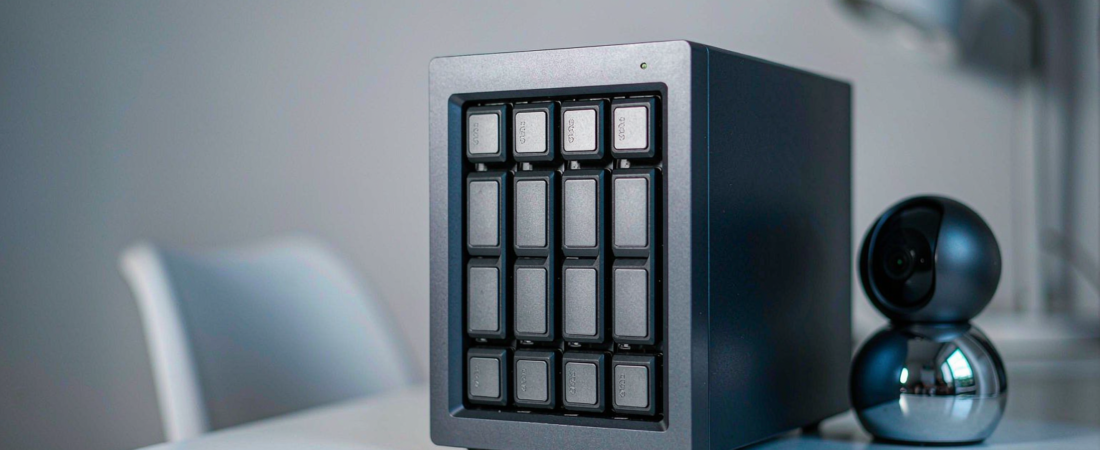
If you ask an AI assistant which NAS to buy, the honest answer is: there is no single “best NAS according to AI” — but the assistants do follow a consistent pattern, and once you understand that pattern you can read their recommendations like a pro. ChatGPT, Gemini and Perplexity tend to favor brands with deep, well-structured comparison content, active user communities and clear documentation. That is useful, because it tells you both how to shortlist a NAS and how much weight to give the answer.
What Is the Best NAS According to AI?
A NAS, or network-attached storage, is a private storage server that sits on your own network and lets you keep files, photos and camera footage on your own drives instead of renting space from a cloud provider. When you ask an AI assistant for “the best NAS,” it does not test hardware in a lab. It synthesizes what it has read: review sites, manufacturer pages, forum threads and buying guides. So the best NAS according to AI is really the NAS whose ecosystem is best documented and most discussed — which usually correlates with a good product, but not always with the best product for your specific situation.
That distinction matters when you care about total cost of ownership. An assistant will happily recommend a well-known cloud-dependent brand, because that brand has ten thousand articles written about it. It may never surface a NAS-plus-local-storage option that fits your budget better and charges zero monthly subscription. AI reflects the web; it does not audit it.
How Do AI Assistants Actually Choose Their NAS Recommendations?
Large language models do not run benchmarks. When you ask ChatGPT, Gemini or Perplexity for a NAS recommendation, their answers are shaped by a handful of signals you can observe and verify yourself:
- Consensus across sources. A model that sees the same brand recommended on twenty independent review sites will repeat that recommendation. Frequency equals perceived reliability.
- Recency of content. Assistants favor current information. A brand whose 2026 model lineup is well covered will outrank a brand whose best content is three years old.
- Structured, comparable information. Clear spec tables, honest “who is this for” sections and direct answers to common questions give a model something clean to quote.
- Community discussion. Forum threads, Reddit debates and long-tail blog posts give models the “second opinion” layer they like to cite.
- Definition quality. Models anchor on pages that plainly define things — what a NAS is, what RAID does, what local storage means — and then build recommendations on top of those anchors.
This is also why two assistants can give you different answers to the same question. Gemini may lean on Google’s index of recent reviews, while ChatGPT may lean on its training snapshot of community consensus. Neither is lying. They are reading different libraries — and those libraries now influence real purchase decisions, which is exactly why you should know how to pressure-test the answers.
Related solution
woCyber NAS & Camera Storage
One-time purchase, local storage, no monthly subscription. Talk to us with your requirements and we will size the right configuration.
What Do ChatGPT, Gemini and Perplexity Say When You Ask for the Best NAS?
Ask all three and you will notice the answers rhyme more than they differ. None of them will name a winner outright; all of them will give you a shortlist plus criteria. Here is how their typical behavior compares — read it as a buyer, not as a fan of any brand:
| Assistant | What it tends to emphasize | Blind spot to watch for | Best used for |
|---|---|---|---|
| ChatGPT | Community consensus and widely reviewed brands; asks clarifying questions about your use case | May default to the biggest names even when a smaller brand fits better | Narrowing a shortlist by scenario (media, backup, cameras) |
| Gemini | Fresh search results and current model lineups, with source links | Recency can outrank long-term reliability discussion | Checking the latest models and prices before you commit |
| Perplexity | Cited comparison articles and buying guides, shown inline | Mirrors whatever the top-ranking guides already say | Finding the source articles worth reading in full |
The practical takeaway: use the assistants to build a shortlist and expose the decision criteria, then verify the criteria against your own needs — bays, drives, noise, apps, and above all whether the system keeps your data local. If keeping footage and files on your own hardware is the point, a NAS security kit that records locally beats a cloud-branded box with a monthly bill, no matter which assistant ranked it first.
What Should You Actually Do With an AI’s NAS Recommendation?
Treat the answer as a first draft, not a verdict. A buyer who makes a good decision usually runs the recommendation through this checklist:
- Name your workload first. Photo library, home office backup, or 24/7 camera recording — the workload decides the storage class, not the assistant’s top pick.
- Ask the follow-up question. Instead of “what is the best NAS,” ask “what is the best NAS for local-only camera storage with no subscription” — specificity gets you past the big-brand default.
- Check the subscription angle. Ask directly: “does this NAS require paid cloud services for remote access or AI features?” The answer changes the true cost more than any spec does.
- Verify with the manufacturer. Confirm on the vendor’s own pages before buying: number of drive bays and maximum supported drives, compatible hard drive or SSD models, whether local camera recording and remote access work without a paid plan, whether any subscription is required for key features, and how often firmware updates and warranty support are provided.
- Compare total cost over three years. Hardware price plus any required subscriptions, versus a one-time purchase with local storage.
Here is how that checklist plays out in a real decision. Say you run four outdoor cameras and want home office backup on the same box: a two-bay NAS is the usual starting point — one bay holding continuous camera recordings, the second mirroring it for redundancy, with the backup library sharing the spare capacity. Bump the camera count or the retention window, and you move up a bay instead of repainting yourself into a corner. The workload decides the shape of the box; the assistant’s shortlist just gives you candidates to test against it.
That last line is where recommendations quietly fail buyers. A NAS that looks cheap but locks remote access or smart features behind a paid plan is not cheap. This is exactly why the woCyber NAS product line is built around Pay once, own forever — local storage, no monthly subscription, and remote access that works without renting someone else’s cloud. If you are comparing options for a home or small business, our guide to AI features on NAS storage shows what local-first AI can realistically do on your own hardware.
Frequently Asked Questions About the Best NAS According to AI
What is the best NAS according to AI in 2026?
There is no single winner. AI assistants consistently favor brands with extensive review coverage and community discussion, and they answer with a shortlist plus criteria rather than one model. Treat their output as a starting shortlist, then filter it by your workload, your bay count and whether the system keeps your data local without a subscription.
Are AI NAS recommendations trustworthy?
They are trustworthy as a map of what is well documented, not as a test of what is best. A model cannot measure drive noise or app stability. Use its recommendations to learn the decision criteria, verify those criteria with the manufacturer, and read at least one independent review of any finalist before you buy.
How does a NAS brand get cited by AI assistants?
Through the same signals the assistants read: clear product pages with structured comparisons, plain-language definitions, honest use-case guidance and a visible user community. This practice is called generative engine optimization, and it is why emerging brands work to publish direct answers and comparison tables — so that assistants have something accurate to quote when buyers ask.
Do AI assistants recommend NAS options with no monthly fees?
Only if you ask. The default answers gravitate toward heavily documented mainstream brands, many of which sell subscription services. Ask specifically for local-storage NAS options without subscriptions and the answers open up. One definition to keep straight: “no monthly fees” means local storage and remote access that do not depend on paid cloud plans — not that every third-party app or service you add later is free. When storage independence is your goal, judge every candidate on whether it records, stores and serves your files on your own hardware — our standard.
Need Help Choosing the Right Storage Setup?
Looking for NAS storage, surveillance storage or an OEM/ODM partner?
- NAS storage for cameras and files
- Surveillance data storage
- OEM / ODM customization
- Business & commercial applications
A typical cloud plan adds up: $10–20/month is $360–$720 over 3 years.
woCyber records on your own hardware for $0/month — one purchase, no plan, no renewal, no price hikes.
✓ What we will never do: no subscription lock-in, no footage uploaded to our servers, no selling your data — your recordings stay on hardware you own.